
SLIDE 1
Cambridge Innovation Centre
Andreas Gutmann, Steven J. Mudoch, WAY19 | @kryptoandi
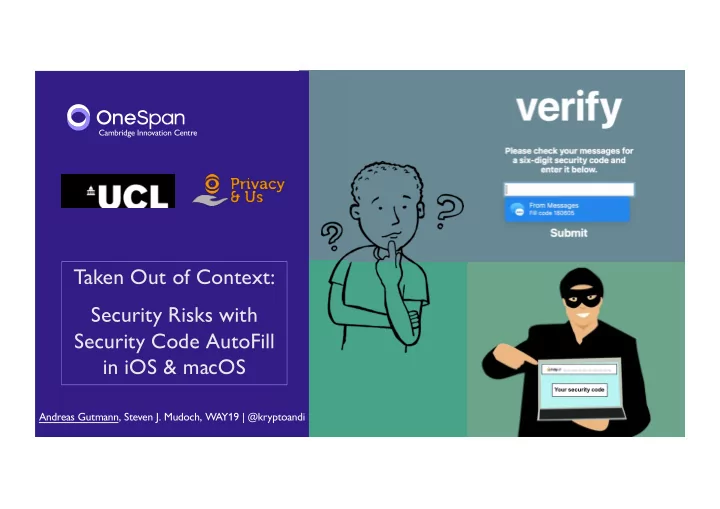
Taken Out of Context: Security Risks with Security Code AutoFill in iOS & macOS
Taken Out of Context: Security Risks with Security Code AutoFill - - PowerPoint PPT Presentation
Cambridge Innovation Centre Taken Out of Context: Security Risks with Security Code AutoFill in iOS & macOS Andreas Gutmann, Steven J. Mudoch, WAY19 | @kryptoandi PLEASE RAISE YOUR HAND Have you ever received a security code via SMS
Cambridge Innovation Centre
Andreas Gutmann, Steven J. Mudoch, WAY19 | @kryptoandi
Taken Out of Context: Security Risks with Security Code AutoFill in iOS & macOS
PLEASE RAISE YOUR HAND
Have you ever…
Ø received a security code via SMS? Ø needed to
Ø found it cumbersome to do all this? Last year, Apple introduced a new convenience feature: Security Code AutoFill
2
SECURITY CODE AUTOFILL
Andreas Gutmann3
Webpages and apps self-declare input fields for security codes Security Code AutoFill scans incoming SMS for security codes iOS and macOS suggest to insert code into active app or webpage
1. 2. 3.
WORKS WITH ALL TYPES OF SECURITY CODES
One Time Password (OTP)
Ø User authentication, e.g. remote login
One Time Authorisation (OTA)
Ø Software activation or registration to a phone number, e.g. instant messenger
Transaction Authorisation Number (TAN)
Ø Verification of integrity of instructions received by the server, e.g. online payments
4
Andreas Gutmann AUTOFILL USER INTERFACE
OTA TAN
Andreas Gutmann5
OTP
HOW THINGS GO WRONG… Uh oh …
6
THE SOURCE OF RISKS Security Code AutoFill de-contextualises security codes, but relies on users to make security-cautious decisions.
Andreas Gutmann7
EXAMPLE: REMOTE LOGIN
Andreas Gutmann8
EXAMPLE: ONLINE SHOPPING
Andreas Gutmann9
EXAMPLE: ONLINE SHOPPING
Andreas Gutmann10
ATTACKS WE DEMONSTRATED
Andreas Gutmann11
IN SUMMARY: CONTEXT MATTERS
Andreas Gutmann12
THANK YOU FOR YOUR ATTENTION
This work has received funding from the European Union’s Horizon 2020 research and innovation programme under the grant agreement No 675730, within the Marie Skłodowska-Curie Innovative Training Networks (ITN-ETN) framework.
THE FORESHADOWING
Andreas Gutmann IDEAS FOR ALTERNATIVE DESIGNS
Andreas GutmannTwo main design challenges:
remain legible for users without the feature.
the device’s screen, respectively.
Opportunities we identified:
Alternative: Display the entire SMS on the screen
15
REMOTE LOGIN Scenario:
Authentication feature.
and password. Attack vector:
to the user. People are less likely to detect phishing emails of ‘low-risk’ websites due to changes in the expected cost-benefit ratio.1
Andreas Gutmann 1 Herley, C. (2009). So long, and no thanks for the externalities: the rational rejection of security advice by users. NSPW. REMOTE LOGIN
Andreas GutmannAdversary User
Sends phishing email (low-risk website). Begins login to the user’s PayPal account. PayPal sends 2FA code to user. Adversary uses 2FA code to complete PayPal login. Clicks on link in phishing email. Security Code AutoFill suggests filling the PayPal security code on this website. User confirms suggestion.
APP REGISTERED TO PHONE NUMBER
Andreas GutmannScenario:
to subsequently social engineer and defraud their contacts.
Attack vector:
unencrypted Wi-Fi, scans websites for social login buttons (e.g. ), and injects a fake WhatsApp login button.
Security Code AutoFill suggests filling the security code on this website. User confirms suggestion.
APP REGISTERED TO PHONE NUMBER
Andreas GutmannAdversary User
Inserts fake WhatsApp login button on websites loaded from public WiFi. Installs WhatsApp and quotes user’s mobile phone number. WhatsApp sends OTA code to user. Adversary uses OTA code to hijack the user’s WhatsApp account. Clicks fake WhatsApp login button. Submits phone number as instructed by website.
ONLINE PAYMENT
Andreas GutmannScenario:
Attack vector:
a Man-in-the-Browser attack.
ONLINE PAYMENT
Andreas GutmannSecurity Code AutoFill suggests filling the security code on this website. User confirms suggestion.
Adversary User
Prepares online shopping
user’s intended purchase. Malware redirects user to corresponding payment website and tampers view to resemble intended purchase. Malware edits HTML code to enable the Security Code AutoFill feature. Proceeds to check out their online shopping. Enters credit card details and requests security code via SMS.
APPLE’S SECURITY BOUNTY POLICY
Andreas Gutmannhttps://www.apple.com/business/site/docs/iOS_Security_Guide.pdf
Apple does not reward the security risks we identified through their Bug Bounty program. They recognise the following:
METHODOLOGY: COGNITIVE WALKTHROUGH IN MALICIOUS SETTINGS
Cognitive Walkthrough (CW) One or more evaluators work through a series of tasks from the user’s perspective and evaluate the systems ability to guide its users towards achieving their goals. Define:
actions Questions asked at each step of a CW:
1. Will the user know what to do at this step? 2. If the user does the right thing, will they know they did the right thing and make progress towards their goal?
CW in Malicious Settings We extend the CW methodology to enable the simulation of an adversary. Define:
vectors Additional questions asked at each step of a CW in Malicious Settings:
3. What actions could an adversary take to get closer to their goal? 4. How could the user foil such an attack at this step?
Andreas GutmannBenefits of CW in Malicious Settings
Easier to evaluate events that might rarely occur during an empirical user study Avoids bias when asking participants to focus on certain tasks/events Easier to transfer results between different versions or variations of the evaluated system
Sensitive tasks can require researchers to withhold information about the nature and
Use of CW in Malicious Settings
BACKGROUND: DESIGN OF SECURITY MESSAGES
“Every message should say what it means: the interpretation of the message should depend only on its content.”
ØBe concise but clearly convey the message ØUse concrete rather than abstract wording ØAvoid unfamiliar abbreviations or ambiguous statements ØUse short sentences with short, familiar words ØMessages should be explicit in what the reader should do or not do
Andreas Gutmann