UNIX C Programming Prof. Tevfik Kosar Presented by Sonali Batra - - PowerPoint PPT Presentation

unix c programming
SMART_READER_LITE
LIVE PREVIEW

UNIX C Programming Prof. Tevfik Kosar Presented by Sonali Batra - - PowerPoint PPT Presentation

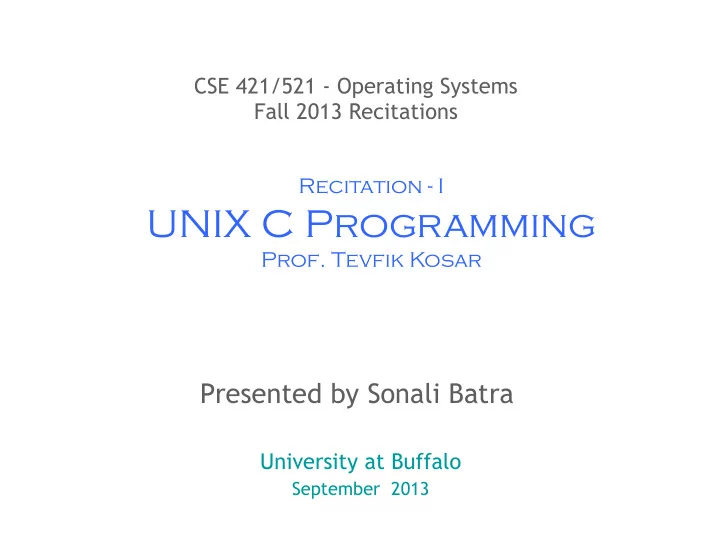
CSE 421/521 - Operating Systems Fall 2013 Recitations Recitation - I UNIX C Programming Prof. Tevfik Kosar Presented by Sonali Batra University at Buffalo September 2013 1 logon ssh timberlake.cse.buffalo.edu -l username or:


slide-1
SLIDE 1

1

CSE 421/521 - Operating Systems Fall 2013 Recitations

Presented by Sonali Batra

University at Buffalo

September 2013

Recitation - I

UNIX C Programming

  • Prof. Tevfik Kosar
slide-2
SLIDE 2

2

logon

  • ssh timberlake.cse.buffalo.edu -l username

– or:

  • ssh username@timberlake.cse.buffalo.edu
  • passwd: change password
  • putty: a free telnet/ssh client
  • ls /bin (ls /usr/bin)
  • man ...
  • text editing: vi, emacs, pico

2

slide-3
SLIDE 3

3

Vi Editor

  • vi filename

– a: enter insert mode, after the cursor – i: enter insert mode, before the cursor – O: enter insert mode, above the cursor –

  • : enter insert mode, below the cursor

– r: replace one character under the cursor – u: undo the last change to the file. – x: delete character under the cursor – yy: copy line – dd: delete line – :w: write – :q: quit – :q!: quit without saving changes – /keyword : search for the keyword in text – :n : go to line number n

  • Vi tutorial: http://www.gnulamp.com/vi.html

3

slide-4
SLIDE 4

4

Emacs Editor

  • Emacs filename

– CTRL-d : delete one character – CTRL-k : delete one line – CTRL-y : paste – CTRL-x 2 : split window into 2 (horizontal) – CTRL-x 3 : split window into 2 (vertical) – CTRL-x o : switch window – CTRL-x 1 : kill all other windows – CTRL-x u : undo (also CTRL-_) – CTRL-x CTRL-f: open file – CTRL-x CTRL-b: open buffer (CTRL-x b: switch to buffer) – CTRL-s : search – CTRL-x CTRL-s: save file – CTRL-x CTRL-c: quit

  • Emacs Tutorial: http://www.gnu.org/software/emacs/tour/

emacs_toc.html

slide-5
SLIDE 5

5

Or...

  • Use any editor you are familiar with.

(Notepad, Wordpad, etc.)

  • After file is written, upload the file using SFTP software

such as FileZilla

slide-6
SLIDE 6

6

Files and Directories

  • directory operations

– ls: list – cd: change directory – pwd: print working directory – mkdir: create directory – rmdir: remove directory

  • file operations

– cp: copy – rm: delete – mv: move (rename) – cat, more, less: examine

  • file permissions: rwx rwx rwx

user group others

– chmod 755 filename (or chmod u+r filename) (or chmod u=rwx)

slide-7
SLIDE 7

7

Processes

  • ps : list currently active user processes
  • ps aux: list all active processes in long format
  • kill n : kill process with id=n
  • kill -9 n : force to kill
  • CTRL-z : push to background
  • fg : bring to foreground (also fg n: bring nth process)
  • top: system utilization information
  • time command : calculate time for a given command

7

slide-8
SLIDE 8

8

Basic C Program: Print to stdout

#include <stdio.h> main() {

printf("Hello, CSC4304 Class!\n");

}

  • gcc prog1.c ==> a.out

gcc prog1.c -o prog1 ==> prog1 make prog1 ==> prog1

8

slide-9
SLIDE 9

9

Header Files

slide-10
SLIDE 10

10

Basic Data Types

  • Basic Types

– char : character - 1 byte – short: short integer - 2 bytes – int: integer - 4 bytes – long: long integer - 4 bytes – float: floating point - 4 bytes – double - double precision floating point - 8 bytes

  • Formatting Template

– %d: integers – %f: floating point – %c: characters – %s: string – %x: hexadecimal – %u: unsigned int

1

slide-11
SLIDE 11

11

Test Size of Data Types

#include <stdio.h> main() { printf("sizeof(char): %d\n", sizeof(char)); printf("sizeof(short): %d\n", sizeof(short)); printf("sizeof(int): %d\n", sizeof(int)); printf("sizeof(long): %d\n", sizeof(long)); printf("sizeof(float): %d\n", sizeof(float)); printf("sizeof(double): %d\n", sizeof(double)); }

1 1

slide-12
SLIDE 12

12

Formatting

#include <stdio.h> main() { char var1; float f; printf(" Enter a character:"); scanf("%c", &var1); printf("You have entered character:%c \n ASCII value=%d \n Address=%x\n", var1, var1, &var1); printf(" And its float value would be: %.2f\n", (float)var1); }

1 2

slide-13
SLIDE 13

13

Formatting (cont.)

slide-14
SLIDE 14

14

Read argument and print

#include <stdio.h> main(int argc, char* argv[]) { if (argc < 2){ printf("Usage: %s <your name>\n", argv[0]); } else{ printf("Hello, %s!\n", argv[1]); } }

1 4

slide-15
SLIDE 15

15

Read from stdin and print

#include <stdio.h> main() { char name[64];

printf("What’s your name?"); scanf("%s", name); printf("Hello, %s!\n", name);

}

1 5

slide-16
SLIDE 16

16

Arrays

slide-17
SLIDE 17

17

Strings

slide-18
SLIDE 18

18

Manipulating Arrays

slide-19
SLIDE 19

19

Manipulating Strings

slide-20
SLIDE 20

20

Manipulating Strings (cont.)

slide-21
SLIDE 21

21

Comparison Operators

slide-22
SLIDE 22

22

Example

#include <stdio.h> main() { int x = 5; int y = 3; if (x=y){ printf("x is equal to y, x=%d, y=%d\n", x, y); } else{ printf("x is not equal to y, x=%d, y=%d\n", x, y); } }

slide-23
SLIDE 23

23

Classical Bugs

  • (7 & 8) vs (7 && 8)
  • (7 | 8) vs (7 || 8)

Exercise:

slide-24
SLIDE 24

24

Loops

while (x>0){ ... } do{ ... } while (x>0); for (x=0; X<3;x++) {...}

2 4

slide-25
SLIDE 25

25

Functions

slide-26
SLIDE 26

26

Memory Manipulation in C

slide-27
SLIDE 27

27

Memory Manipulation in C

slide-28
SLIDE 28

28

Memory Manipulation in C

slide-29
SLIDE 29

29

Defining Pointers

slide-30
SLIDE 30

30

Using Pointers

slide-31
SLIDE 31

31

Using Pointers

slide-32
SLIDE 32

32

Using Pointers

slide-33
SLIDE 33

33

Parameter Passing in C

slide-34
SLIDE 34

34

Parameter Passing in C

slide-35
SLIDE 35

35

Parameter Passing in C

slide-36
SLIDE 36

36

Arrays and Pointers

slide-37
SLIDE 37

37

Arrays and Pointers

slide-38
SLIDE 38

38

Arrays and Pointers

slide-39
SLIDE 39

39

Pointer Arithmetic

slide-40
SLIDE 40

40

Pointer Arithmetic

slide-41
SLIDE 41

41

Pointer Arithmetic

slide-42
SLIDE 42

42

Structures

slide-43
SLIDE 43

43

Pointers to Structures

slide-44
SLIDE 44

44

Enumerations

slide-45
SLIDE 45

45

Variables

slide-46
SLIDE 46

46

Static Local Variables

slide-47
SLIDE 47

47

Non-static Local Variables

  • If i is not static, the same example program (from
  • prev. slide) will output:

– i=1 – i=1 – i=1

4 7

slide-48
SLIDE 48

48

Global Variables

Global variables have file scope: int i=0; void foo() { i++; printf("i=%d\n",i); } int main() { for (i=0;i<3;i++) foo(); }

slide-49
SLIDE 49

49

Dynamic Memory Management

slide-50
SLIDE 50

50

Dynamic Memory Management

slide-51
SLIDE 51

51

Dynamic Memory Management

slide-52
SLIDE 52

52

Dynamic Memory Management

slide-53
SLIDE 53

53

Memory Leaks

slide-54
SLIDE 54

54

malloc Example

int main () { int x = 11; int *p, *q; p = (int *) malloc(sizeof (int)); *p = 66; q = p; printf ("%d %d %d\n", x, *p, *q); x = 77; *q = x + 11; printf ("%d %d %d\n", x, *p, *q); p = (int *) malloc(sizeof (int)); *p = 99; printf ("%d %d %d\n", x, *p, *q); }

$./malloc

11 66 66 77 88 88 77 99 88

slide-55
SLIDE 55

55

free Example

int main () { int x = 11; int *p, *q; p = (int *) malloc(sizeof (int)); *p = 66; q = (int *) malloc(sizeof (int)); *q = *p - 11; free(p); printf ("%d %d %d\n", x, *p, *q); x = 77; p = q; q = (int *) malloc(sizeof (int)); *q = x + 11; printf ("%d %d %d\n", x, *p, *q); p = &x; p = (int *) malloc(sizeof (int)); *p = 99; printf ("%d %d %d\n", x, *p, *q); q = p; free(q); printf ("%d %d %d\n", x, *p, *q); }

./free 11 ? 55 77 55 88 77 99 88 77 ? ?

slide-56
SLIDE 56

56

Acknowledgments

  • Advanced Programming in the Unix Environment by R.

Stevens

  • The C Programming Language by B. Kernighan and D.

Ritchie

  • Understanding Unix/Linux Programming by B. Molay
  • Lecture notes from B. Molay (Harvard), T. Kuo (UT-

Austin), G. Pierre (Vrije), M. Matthews (SC), and B. Knicki (WPI).