User-assisted Segmentation and 3D Motion Tracking Michael Fleder - - PowerPoint PPT Presentation

user assisted segmentation and 3d motion tracking
SMART_READER_LITE
LIVE PREVIEW

User-assisted Segmentation and 3D Motion Tracking Michael Fleder - - PowerPoint PPT Presentation

User-assisted Segmentation and 3D Motion Tracking Michael Fleder Sudeep Pillai Jeremy Scott 3D Object Tracking Virtual reality and animation Imitation in robotics Autonomous driving Augmented reality Motivation Want low-cost


slide-1
SLIDE 1

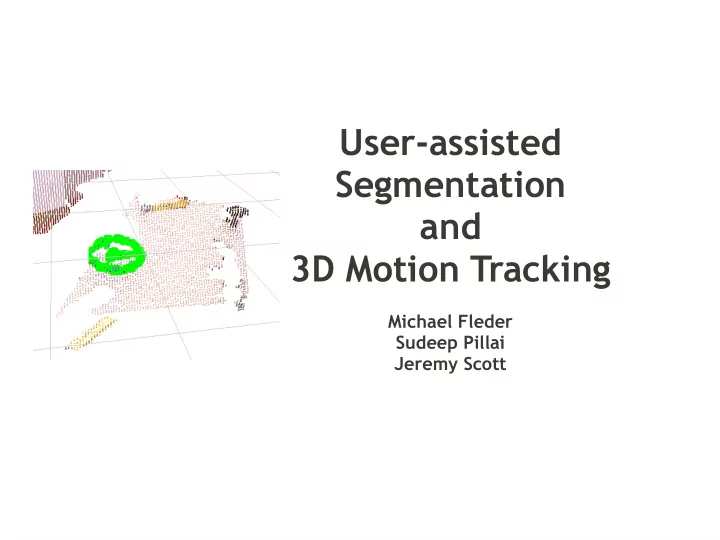
User-assisted Segmentation and 3D Motion Tracking

Michael Fleder Sudeep Pillai Jeremy Scott
slide-2
SLIDE 2

3D Object Tracking

  • Virtual reality and animation
  • Imitation in robotics
  • Autonomous driving
  • Augmented reality
slide-3
SLIDE 3

Motivation

Want low-cost tracking with no instrumentation

slide-4
SLIDE 4

Method Overview

User-assisted Segmentation

slide-5
SLIDE 5

Method Overview

Iterative Closest Point (ICP) for 3D tracking

slide-6
SLIDE 6

Method Overview

Color Histogram 2D tracking to seed ICP

slide-7
SLIDE 7

DEMO

slide-8
SLIDE 8

Preliminary Experiments / Results

  • FAST features for saliency detection
  • ORB / SURF / SIFT feature descriptor extractor
  • SURF/ SIFT
  • Robust
  • Lacking real-time capabilities
  • ORB (Oriented FAST and Rotated BRIEF)
  • Runs in real-time
  • Produces a lot of false positives
slide-9
SLIDE 9

Preliminary Experiments / Results

DEMO

slide-10
SLIDE 10

Preliminary Experiments / Results

  • Limitations
  • Kinect RGB Sensor

– Low resolution – Signal-to-noise ratio not particularly good

  • Feature detection

– Doesn't cope well with motion blur – Actively learn new features of the object – Correspondence requires rigid object tracking

slide-11
SLIDE 11

Appearance-based tracking

  • Appearance model + Temporal coherence
  • Histogram appearance models

– Base color representative over multiple views

  • Robust to perspective views
  • Don't have to actively learn new features
  • Sufficient to provide object localization belief

– Relatively faster to compute

  • Mean-Shift tracking

– Robust to motion blur – Eliminates false positives that have same color

distribution

slide-12
SLIDE 12

Two approaches

  • Create a likelihood image, with pixels

weighted by similarity to the desired color

  • Best for uni-colored objects
  • Fails when there is a color distribution
  • Represent color distribution with a histogram
  • Use mean-shift to find region that has most similar

distribution of colors

slide-13
SLIDE 13

Comparing color distributions

  • Bhattacharya Distance/Coefficient

– Measure of the amount of overlap between two

statistical samples i.e. between histograms

– Imposes a metric structure – Invariant to object size (number of pixels) – Valid for arbitrary distributions

slide-14
SLIDE 14

Mean-Shift Algorithm

  • Finding modes in a set of data samples,

manifesting an underlying PDF in R

N

  • Feature space can be color, scale or saliency
slide-15
SLIDE 15

Mean-Shift Algorithm

slide-16
SLIDE 16

Mean-Shift Algorithm

slide-17
SLIDE 17

Mean-Shift Algorithm

slide-18
SLIDE 18

Mean-Shift Object Tracking

Target Representation

slide-19
SLIDE 19

Mean-Shift Object Tracking

PDF Representation

slide-20
SLIDE 20

Given: Two point-sets A (object to track), B (new point cloud) R ⊆

3

Goal: Find a one-to-one matching function μ : A B that minimizes the → root mean squared distance (RMSD) between A and B Incorporating rotation R and translation t:

First Attempt: Tracking using 3D Only (No RGB)

Iterative Closest Point

slide-21
SLIDE 21

ICP(A,B) : //A,B point sets. R = rotation matrix. t = translation vector.

//Find μ one-to-one matching function.

  • 1. Initialize R = I (the identity matrix), t = 0.
  • 2. Matching Step: Given R and t, compute optimal μ by finding

minμ RMSD(A, B, μ).

  • 3. Transformation Step: Given μ, compute optimal R and t by finding

minR,t RMSD(RA − t, B, μ).

  • 4. Go to step 2 unless μ is unchanged.

First Attempt: Tracking using 3D Only (No RGB)

Iterative Closest Point

slide-22
SLIDE 22

Problems: (1) Can’t handle large displacement between frames (2) Computationally intense (3) Ambiguous for geometrically-symmetric objects Benefits: (1) Resolve 3D orientation (2) Accurate for small-displacements

First Attempt: Tracking using 3D Only (No RGB)

Iterative Closest Point

slide-23
SLIDE 23

Tracking Benefits: 2D (Histogram): (1) Handles large displacements between frames (2) Accurate small-patch tracking (3) Fast 3D (ICP): (1) Accurate for small-displacements (2) Resolves 3D orientation Combined: Seed 3D ICP with result of 2D tracking

Third Pass: Tracking using 2D and 3D

slide-24
SLIDE 24

Initialize_Tracker(Segmented_Object, out trackedObject): (1) 2D_Segment_Points 3dTo2D(Segmented_Object) ← (2) Init_Histogram_Tracker(2D_Segment_Points) (3) trackedObject Segmented_Object ← Run_Tracker(lastKnownObject3D, latest_Image, latest_Cloud): (1) 2D_Points = run2DTracker(latest_image) (2) 3D_Search_Cloud = 2dTo3d(2D_Points) (3) lastKnownObject3D ICP(lastKnownObject3D, 3D_Search_Cloud) ←

Third Pass: Tracking using 2D and 3D

slide-25
SLIDE 25

Summary

Enabling low-cost 3D object tracking on the Kinect via:

  • 1. User-assisted segmentation
  • 2. Combining color histogram tracker in 2D

and ICP in 3D

  • 3. Modifications to enable real-time tracking