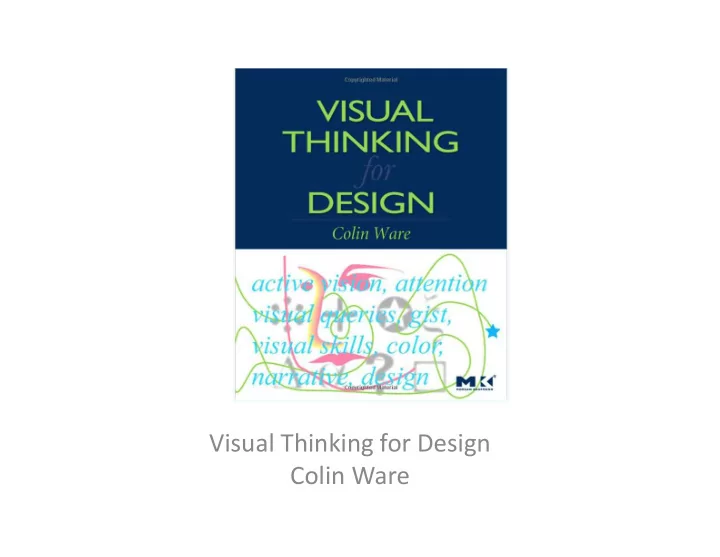
Visual Thinking for Design Colin Ware How much do - - PowerPoint PPT Presentation

visual thinking for design colin ware how much do we see
SMART_READER_LITE
LIVE PREVIEW

Visual Thinking for Design Colin Ware How much do - - PowerPoint PPT Presentation

Visual Thinking for Design Colin Ware How much do we see? We do not have the en<re visual world in conscious awareness We


slide-1
SLIDE 1

Visual ¡Thinking ¡for ¡Design ¡ ¡ Colin ¡Ware ¡ ¡

slide-2
SLIDE 2

How ¡much ¡do ¡we ¡see? ¡ ¡

  • We ¡do ¡not ¡have ¡the ¡en<re ¡visual ¡world ¡in ¡

conscious ¡awareness ¡ ¡

  • We ¡apprehend ¡only ¡a ¡<ny ¡frac<on ¡of ¡informa<on ¡

in ¡our ¡surrounding ¡ ¡

– Just ¡the ¡right ¡amount ¡of ¡informa<on ¡ ¡

  • But ¡we ¡can ¡sample ¡the ¡world ¡around ¡us ¡very ¡

rapidly ¡with ¡swiA ¡eye ¡movement ¡(1/10 ¡second) ¡

  • Although ¡we ¡have ¡very ¡liHle ¡aHen<on ¡capacity ¡ ¡
  • A ¡good ¡use ¡of ¡our ¡cogni<on ¡ability ¡is ¡very ¡

important ¡to ¡keep ¡our ¡brain ¡small ¡

slide-3
SLIDE 3

Visual ¡Thinking ¡and ¡Queries ¡ ¡

  • Visual ¡thinking ¡– ¡the ¡process ¡of ¡alloca<ng ¡

aHen<on ¡ ¡

  • We ¡are ¡conscious ¡of ¡the ¡field ¡of ¡informa<on ¡that ¡

we ¡have ¡rapid ¡access ¡rather ¡than ¡the ¡en<re ¡world ¡ ¡

– Allows ¡us ¡to ¡do ¡a ¡beHer ¡graphics ¡design ¡ ¡

  • Visual ¡thinking ¡consists ¡of ¡a ¡series ¡of ¡acts ¡of ¡

aHen<on, ¡driving ¡eye ¡movements ¡and ¡turning ¡

  • ur ¡paHern ¡finding ¡circuits ¡ ¡
  • The ¡act ¡of ¡aHen<on ¡is ¡called ¡visual ¡query ¡– ¡search ¡

for ¡paHern ¡ ¡ ¡

slide-4
SLIDE 4

The ¡Apparatus ¡ ¡

  • Eye ¡– ¡digital ¡camera ¡
  • Light ¡sensi<ve ¡cones ¡– ¡three ¡

colors ¡ ¡

  • Brain ¡pixels ¡are ¡concentrated ¡

in ¡a ¡central ¡region ¡called ¡fovea ¡ to ¡process ¡visual ¡detail ¡ ¡(100 ¡ pts ¡on ¡the ¡top ¡of ¡a ¡pin) ¡ ¡

  • Half ¡of ¡our ¡visual ¡brain ¡is ¡to ¡

process ¡about ¡5 ¡% ¡of ¡the ¡visual ¡ world ¡ ¡

  • Eyeball ¡muscle ¡moves ¡about ¡

900 ¡degree/second ¡ ¡(saccade) ¡ ¡

slide-5
SLIDE 5

The ¡Apparatus ¡ ¡

  • Eye ¡– ¡digital ¡camera ¡
  • Light ¡sensi<ve ¡cones ¡– ¡three ¡

colors ¡ ¡

  • Brain ¡pixels ¡are ¡concentrated ¡

in ¡a ¡central ¡region ¡called ¡ fovea ¡to ¡process ¡visual ¡detail ¡ ¡ (100 ¡pts ¡on ¡the ¡top ¡of ¡a ¡pin) ¡ ¡

  • Half ¡of ¡our ¡visual ¡brain ¡is ¡to ¡

process ¡about ¡5 ¡% ¡of ¡the ¡ visual ¡world ¡ ¡

  • Eyeball ¡muscle ¡moves ¡about ¡

900 ¡degree/second ¡ ¡ (saccade) ¡ ¡

slide-6
SLIDE 6

The ¡Apparatus ¡ ¡

  • Eye ¡– ¡digital ¡camera ¡
  • Light ¡sensi<ve ¡cones ¡– ¡three ¡

colors ¡ ¡

  • Brain ¡pixels ¡are ¡concentrated ¡

in ¡a ¡central ¡region ¡called ¡fovea ¡ to ¡process ¡visual ¡detail ¡ ¡(100 ¡ pts ¡on ¡the ¡top ¡of ¡a ¡pin) ¡ ¡

  • Half ¡of ¡our ¡visual ¡brain ¡is ¡to ¡

process ¡about ¡5 ¡% ¡of ¡the ¡visual ¡ world ¡ ¡

  • Eyeball ¡muscle ¡moves ¡about ¡

900 ¡degree/second ¡ ¡(saccade) ¡ ¡

slide-7
SLIDE 7

The ¡Act ¡of ¡Percep<on ¡ ¡

  • Two ¡waves ¡of ¡neural ¡ac<vity ¡ ¡

– Informa<on ¡driven ¡wave ¡ ¡ – AHen<on ¡driven ¡wave ¡ ¡

  • BoHom ¡up ¡and ¡top ¡down ¡percep<on ¡ ¡
slide-8
SLIDE 8

BoHom ¡Up ¡Percep<on ¡ ¡

  • Low ¡level ¡features ¡–> ¡paHern ¡–> ¡object ¡ ¡

– Op<cal ¡nerve ¡– ¡V1 ¡cortex ¡: ¡feature ¡detec<on ¡edges ¡and ¡contours; ¡ color; ¡mo<on; ¡ – Features ¡are ¡put ¡together ¡to ¡form ¡paHerns ¡– ¡textures, ¡long ¡contours, ¡ (Gelstat ¡psychology) ¡ ¡ – Visual ¡objects ¡(three ¡in ¡visual ¡working ¡memory ¡at ¡a ¡<me) ¡ – Not ¡all ¡visual ¡processing ¡in ¡done ¡in ¡visual ¡working ¡memory ¡ ¡

  • They ¡are ¡done ¡in ¡parallel ¡by ¡many ¡parts ¡instead ¡ ¡

– The ¡real ¡power ¡lies ¡in ¡paHern ¡finding ¡ ¡ ¡

slide-9
SLIDE 9

The ¡Act ¡of ¡Percep<on ¡ ¡

  • Top-­‑down ¡(aHen<on) ¡ ¡

– Driven ¡by ¡the ¡need ¡to ¡accomplish ¡some ¡goals ¡ ¡ – Search ¡for ¡a ¡color ¡then ¡the ¡color ¡feature ¡will ¡be ¡enhanced ¡ ¡ – Eye ¡movement: ¡fast ¡at ¡first, ¡fixa<on ¡was ¡brief, ¡ ¡ – How ¡does ¡our ¡brain ¡where ¡to ¡look? ¡ ¡

slide-10
SLIDE 10

Design ¡Implica<on ¡ ¡

  • The ¡design ¡should ¡allow ¡visual ¡queries ¡to ¡be ¡

processed ¡rapidly ¡and ¡correctly ¡for ¡the ¡cogni<ve ¡ tasks ¡that ¡the ¡display ¡is ¡intended ¡to ¡support ¡ ¡

– Understand ¡the ¡intended ¡cogni<ve ¡tasks ¡and ¡visual ¡queries ¡ ¡

What ¡are ¡the ¡cogni<ve ¡tasks? ¡ ¡

slide-11
SLIDE 11

How ¡We ¡Solve ¡Problems? ¡ ¡

  • Nested ¡Loops ¡

– Outer ¡loop ¡deals ¡with ¡generality ¡(construct ¡a ¡set ¡of ¡ steps ¡to ¡solve ¡the ¡problem) ¡ ¡ – Inner ¡loops ¡deal ¡with ¡details ¡(visual ¡search, ¡eye ¡ movement, ¡find ¡paHerns, ¡etc.) ¡ ¡