What is a File? A file is a collection of data elements, grouped - - PDF document

what is a file
SMART_READER_LITE
LIVE PREVIEW

What is a File? A file is a collection of data elements, grouped - - PDF document

CPSC-313: Introduction to Computer Systems UNIX I/O UNIX I/O Files and File Representation Basic operations: Reading / Writing Caching: File Open / Close Multiplexing: Select / Poll File Descriptors Reading: R&R,


slide-1
SLIDE 1

CPSC-313: Introduction to Computer Systems UNIX I/O

UNIX I/O

  • Files and File Representation
  • Basic operations: Reading / Writing
  • Caching: File Open / Close
  • Multiplexing: Select / Poll
  • File Descriptors
  • Reading: R&R, Ch 4

Note: Some material in this set of slides comes from Solomon&Russinovich, “Inside Windows 2000,” Microsoft Programming Series.

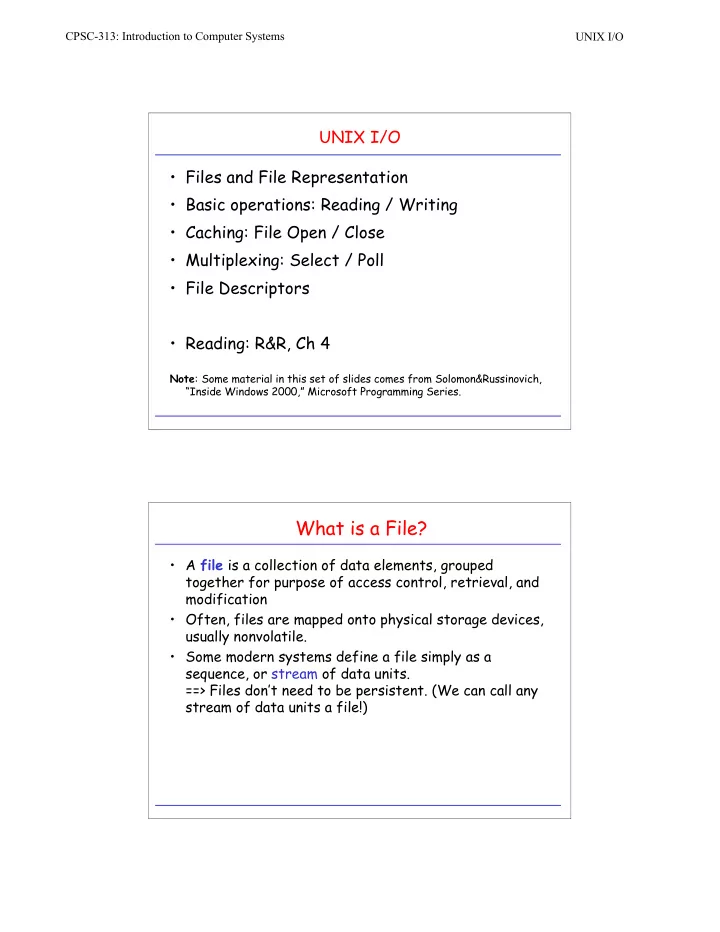
What is a File?

  • A file is a collection of data elements, grouped

together for purpose of access control, retrieval, and modification

  • Often, files are mapped onto physical storage devices,

usually nonvolatile.

  • Some modern systems define a file simply as a

sequence, or stream of data units. ==> Files don’t need to be persistent. (We can call any stream of data units a file!)

slide-2
SLIDE 2

CPSC-313: Introduction to Computer Systems UNIX I/O

Files are not always “Files”: I/O Devices

CPU modem network mouse printer keyboard mass storage graphics memory

File Operations: Read/Write: read

#include <unistd.h> ssize_t read(int fildes, void & buf, size_t n_byte); ECONNRESET: read attempted on a socket and connection was forcibly closed by peer EAGAIN: O_NONBLOCK is set for file descriptor and thread would be delayed EBADF: fildes is not a valid file descriptor open for reading EINTR: read was terminated due to receipt of a signal and no data was transferred EIO: <paraphrased: process has problems reading from controlling terminal> ENOTCONN: read socket is not connected EOVERFLOW: <for regular files> starting position exceeds offset maximum ETIMEDOUT: read on socket, and transmission timeout occurred EWOULDBLOCK: file descriptor is for socket marked O_NONBLOCK and no data is waiting to be received.

slide-3
SLIDE 3

CPSC-313: Introduction to Computer Systems UNIX I/O

read Example

#include <errno.h> #include <unistd.h> ssize_t rf_read(int fd, void * buf, size_t size) { size_t to_read; ssize_t retval; for (to_read = size, ret_val = 0; to_read > 0; buf += ret_val, to_read -= ret_val) { ret_val = read(fd, buf, to_read; if ((ret_val < 0) && (errno != EINTR)) return -1; if (ret_val < 0) ret_val = 0; to_read -= ret_val; } return size; }

rf_read similar to read except that it restarts if interrupted and reads the full amount

Framing

  • Character count
  • Starting and ending flags, with bit

stuffing

  • Physical layer coding violations
  • Starting and ending chars, with

character stuffing

5 1 2 3 4 8 1 2 3 4 5 6 7 1 2

character count

DLE STX a b DLE DLE c DLE ETX

stuffed DLE

framing pattern: 01111110

011011111011111011111010010

stuffed bits

binary Manchester

lack of transition

slide-4
SLIDE 4

CPSC-313: Introduction to Computer Systems UNIX I/O

File Operations: Read/Write

#include <unistd.h> ssize_t write(int fildes, const void & buf, size_t n_byte); ECONNRESET: write attempted on a socket and connection was forcibly closed by peer EAGAIN: O_NONBLOCK is set for file descriptor and thread would be delayed EBADF: fildes is not a valid file descriptor open for writing EINTR: write was terminated due to receipt of a signal and no data was transferred EIO: <paraphrased: process has problems writing to controlling terminal> ENOSPC: no free space remaining on device containing the file EPIPE: attempt to write to a closed pipe or closed connection EWOULDBLOCK: file descriptor is for socket marked O_NONBLOCK and write would block

  • Open file system call: cache information about file in kernel

memory: – location of file on disk – file pointer for read/write – blocking information – etc.

  • Single-user system:
  • Multi-user system:

Bookkeeping (for details on file descriptors, see later)

process open-file table file1 file2 file pos file pos system open-file table

  • pen cnt
  • pen cnt

file pos ... ... file pos

  • pen-file table

file1 file2 file pos file location file location file pos

slide-5
SLIDE 5

CPSC-313: Introduction to Computer Systems UNIX I/O

Example: W2k File Objects

Filename Identifies the physical file that the file

  • bject refers to

Current byte offset Identifies the current location of the file (valid only for synchronous I/O) Share modes Indicate whether other callers can access the file while the current caller is using it. Open mode flags Indicate whether I/O will be synchronous or asynchronous, cached or non-cached, sequential or random, etc. Pointer to device object Pointer to volume parameter block Indicates the volume, or partition, that the file resides on. Pointer to section object pointers Indicates a root structure that describes a mapped file. Pointer to private cache map Identifies which part of the file are cached by the cache manager

Opening a File Object (W2k)

Figure from Solomon&Russinovich, “Inside Windows 2000,” Microsoft Programming Series

slide-6
SLIDE 6

CPSC-313: Introduction to Computer Systems UNIX I/O

Errors: EACCESS: <various forms of access denied> EEXIST O_CREAT and O_EXCL set, and file exists already. EINTR: signal caught during open EISDIR: file is a directory and O_WRONLY or O_RDWR in flags ELOOP: there is a loop in the path EMFILE: to many files open in calling process ENAMETOOLONG: … ENFILE: to many files open in system …

Opening/Closing Files

#include <fcntl.h> #include <sys/stat.h> int open(const char * path, int oflag, …); /* returns open file descriptor */ Flags: O_RDONLY, O_WRONLY, O_RDWR O_APPEND, O_CREAT, O_EXCL, O_NOCCTY O_NONBLOCK, O_TRUNC

Opening/Closing Files

#include <unistd.h> int close(int fildes); Errors: EBADF: fildes is not valid file descriptor EINTR: signal caught during close Example: int r_close(int fd) { int retval; while (retval = close(fd), ((retval == -1) && (errno == EINTR))); return retval; }

slide-7
SLIDE 7

CPSC-313: Introduction to Computer Systems UNIX I/O

Multiplexing: select()

#include <sys/select.h> int select(int nfds, fd_set * readfds, fd_set * writefds, fd_set * errorfds, struct timeval timeout); /* timeout is relative */ void FD_CLR (int fd, fd_set * fdset); int FD_ISSET(int fd, fd_set * fdset); void FD_SET (int fd, fd_set * fdset); void FD_ZERO (fd_set * fdset); Errors: EBADF: fildes is not valid for one

  • r more file descriptors

EINVAL: <some error in parameters> EINTR: signal caught during select before timeout or selected event

select() Example: Reading from multiple fd’s

while (!done) { numready = select(maxfd, &readset, NULL, NULL, NULL); if ((numready == -1) && (errno == EINTR)) /* interrupted by signal; continue monitoring */ continue; else if (numready == -1) /* a real error happened; abort monitoring */ break; for (int i = 0; i < numfds) { if (FD_ISSET(fd[i], &readset) { /* this descriptor is ready*/ bytesread = read(fd[i], buf, BUFSIZE); done = TRUE; } } FD_ZERO(&readset); maxfd = 0; for (int i = 0; i < numfds; i++) { /* we skip all the necessary error checking */ FD_SET(fd[i], &readset); maxfd = MAX(fd[i], maxfd); }

slide-8
SLIDE 8

CPSC-313: Introduction to Computer Systems UNIX I/O

select() Example: Timed Waiting on I/O

int waitfdtimed(int fd, struct timeval end) { fd_set readset; int retval; struct timeval timeout; FD_ZERO(&readset); FDSET(fd, &readset); if (abs2reltime(end, &timeout) == -1) return -1; while (((retval = select(fd+1,&readset,NULL,NULL,&timeout)) == -1) && (errno == EINTR)) { if (abs2reltime(end, &timeout) == -1) return -1; FD_ZERO(&readset); FDSET(fd, &readset); } if (retval == 0) {errno = ETIME; return -1;} if (retval == -1) {return -1;} return 0; }

File Representation to User

3 file descriptor table

UNIX File Descriptors: int myfd; myfd = open(“myfile.txt”, O_RDONLY));

myfd system file table in-memory inode table

[0] [1] [2] [3] [4] user space kernel space

file descriptor table myfp

[0] [1] [2] [3] [4] user space kernel space

ISO C File Pointers: FILE *myfp; myfp = fopen(“myfile.txt”, “w”);

file structure 3

slide-9
SLIDE 9

CPSC-313: Introduction to Computer Systems UNIX I/O

File Descriptors and fork()

  • With fork(), child inherits

content of parent’s address space, including most of parent’s state: – scheduling parameters – file descriptor table – signal state – environment – etc.

parent’s file desc table child’s file desc table [0] [1] [2] [3] [4] [5] [0] [1] [2] [3] [4] [5] A(SFT) B(SFT) C(SFT) D(SFT) A(SFT) B(SFT) C(SFT) D(SFT) A B C D (“myf.txt”) system file table (SFT)

File Descriptors and fork() (II)

parent’s file desc table parent’s file desc table [0] [1] [2] [3] [4] [5] [0] [1] [2] [3] [4] [5] A(SFT) B(SFT) C(SFT) D(SFT) A(SFT) B(SFT) C(SFT) D(SFT) A B C D (“myf.txt”) system file table (SFT)

int main(void) { char c = ‘!’; int myfd; myfd = open(‘myf.txt’, O_RDONLY); fork(); read(myfd, &c, 1); printf(‘Process %ld got %c\n’, (long)getpid(), c); return 0; }

slide-10
SLIDE 10

CPSC-313: Introduction to Computer Systems UNIX I/O

File Descriptors and fork() (III)

parent’s file desc table parent’s file desc table [0] [1] [2] [3] [4] [5] [0] [1] [2] [3] [4] [5] A(SFT) B(SFT) C(SFT) D(SFT) A(SFT) B(SFT) C(SFT) E(SFT) A B C D (“myf.txt”) system file table (SFT)

int main(void) { char c = ‘!’; int myfd; fork(); myfd = open(‘myf.txt’, O_RDONLY); read(myfd, &c, 1); printf(‘Process %ld got %c\n’, (long)getpid(), c); return 0; }

E (“myf.txt”)

Duplicating File Descriptors: dup2()

  • Want to redirect I/O from well-known file descriptor

to descriptor associated with some other file? – e.g. stdout to file?

#include <unistd.h> int dup2(int fildes, int fildes2); Example: redirect standard output to file. int main(void) { int fd = open(‘my.file’, <some_flags>, <some_mode>); dup2(fd, STDOUT_FILENO); close(fd); write(STDOUT_FILENO, ‘OK’, 2); } Errors: EBADF: fildes or fildes2 is not valid EINTR: dup2 interrupted by signal