Wireless and Mobile Networks Wireless and 802.11 LANs wireless - - PowerPoint PPT Presentation

wireless and mobile networks
SMART_READER_LITE
LIVE PREVIEW

Wireless and Mobile Networks Wireless and 802.11 LANs wireless - - PowerPoint PPT Presentation

Wireless and Mobile Networks Wireless and 802.11 LANs wireless links: shared, fading, interference, hidden terminal problem IEEE 802.11 ( wi-fi ) CSMA/CA reflects wireless channel characteristics DIFS, SIFS,


slide-1
SLIDE 1

CSci4211 802.11 Wireless and Mobile Networks 1

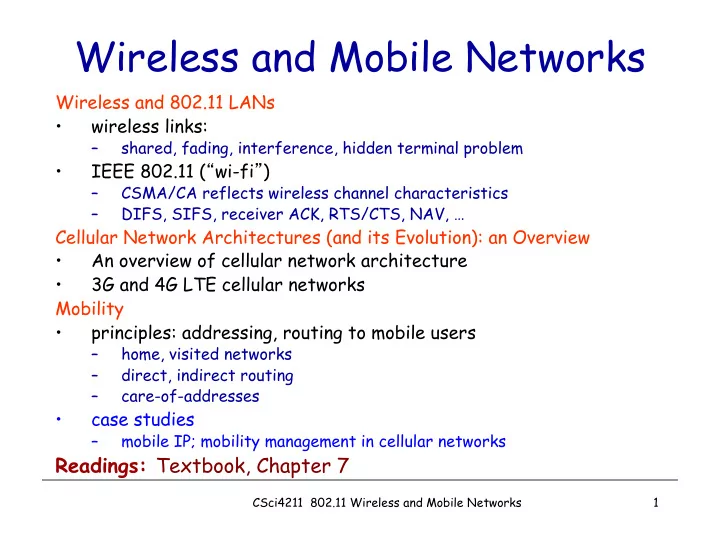
Wireless and Mobile Networks

Wireless and 802.11 LANs

  • wireless links:

– shared, fading, interference, hidden terminal problem

  • IEEE 802.11 (“wi-fi”)

– CSMA/CA reflects wireless channel characteristics – DIFS, SIFS, receiver ACK, RTS/CTS, NAV, …

Cellular Network Architectures (and its Evolution): an Overview

  • An overview of cellular network architecture
  • 3G and 4G LTE cellular networks

Mobility

  • principles: addressing, routing to mobile users

– home, visited networks – direct, indirect routing – care-of-addresses

  • case studies

– mobile IP; mobility management in cellular networks

Readings: Textbook, Chapter 7

slide-2
SLIDE 2

2

Chapter 7 outline

7.1 Introduction Wireless

  • 7.2 Wireless links,

characteristics

– CDMA

  • 7.3 IEEE 802.11

wireless LANs (“wi- fi”)

  • 7.4 Cellular Internet

Access

– architecture – standards (e.g., GSM)

Mobility

  • 7.5 Principles:

addressing and routing to mobile users

  • 7.6 Mobile IP
  • 7.7 Handling mobility in

cellular networks

  • 7.8 Mobility and higher-

layer protocols 7.9 Summary

CSci4211 802.11 Wireless and Mobile Networks

slide-3
SLIDE 3

3

Elements of a Wireless Network

network infrastructure

wireless hosts

  • laptop, PDA, IP phone
  • run applications
  • may be stationary

(non-mobile) or mobile

– wireless does not always mean mobility

CSci4211 802.11 Wireless and Mobile Networks

slide-4
SLIDE 4

4

Elements of a Wireless Network

base station

  • typically connected to

wired network

  • relay - responsible

for sending packets between wired network and wireless host(s) in its “area”

– e.g., cell towers 802.11 access points network infrastructure

CSci4211 802.11 Wireless and Mobile Networks

slide-5
SLIDE 5

5

Elements of a Wireless Network

wireless link

  • typically used to

connect mobile(s) to base station

  • also used as backbone

link

  • multiple access

protocol coordinates link access

  • various data rates,

transmission distance

network infrastructure

CSci4211 802.11 Wireless and Mobile Networks

slide-6
SLIDE 6

Characteristics of selected wireless links

Indoor

10-30m

Outdoor

50-200m

Mid-range outdoor

200m – 4 Km

Long-range outdoor

5Km – 20 Km

.056 .384 1 4 5-11 54

2G: IS-95, CDMA, GSM 2.5G: UMTS/WCDMA, CDMA2000 802.15 802.11b 802.11a,g 3G: UMTS/WCDMA-HSPDA, CDMA2000-1xEVDO 4G: LTWE WIMAX 802.11a,g point-to-point

450

802.11n

Data rate (Mbps)

6

1300

802.11 ac

CSci4211 802.11 Wireless and Mobile Networks

slide-7
SLIDE 7

7

Wireless Link Characteristics (1)

Differences from wired link ….

– decreased signal strength: radio signal attenuates as it propagates through matter (path loss) – interference from other sources: standardized wireless network frequencies (e.g., 2.4 GHz) shared by other devices (e.g., phone); devices (motors) interfere as well – multipath propagation: radio signal reflects off objects ground, arriving ad destination at slightly different times

…. make communication across (even a point to point) wireless link much more “difficult”

CSci4211 802.11 Wireless and Mobile Networks

slide-8
SLIDE 8

Wireless Link Characteristics (2)

  • SNR: signal-to-noise ratio

– larger SNR – easier to extract signal from noise (a “good thing”)

  • SNR versus BER tradeoffs

– given physical layer: increase power -> increase SNR- >decrease BER – given SNR: choose physical layer that meets BER requirement, giving highest thruput

  • SNR may change with mobility:

dynamically adapt physical layer (modulation technique, rate)

10 20 30 40

QAM256 (8 Mbps) QAM16 (4 Mbps) BPSK (1 Mbps) SNR(dB) BER

10-1 10-2 10-3 10-5 10-6 10-7 10-4 8 CSci4211 802.11 Wireless and Mobile Networks

slide-9
SLIDE 9

Wireless Network Characteristics

Multiple wireless senders and receivers create additional problems (beyond multiple access): A B C Hidden terminal problem

§ B, A hear each other § B, C hear each other § A, C can not hear each other means A, C unaware of their interference at B

A B C

A’s signal strength

space

C’s signal strength

Signal attenuation:

§ B, A hear each other § B, C hear each other § A, C can not hear each other interfering at B

9 CSci4211 802.11 Wireless and Mobile Networks

slide-10
SLIDE 10

Optional: A Brief Intro to Code Division Multiple Access (CDMA)

  • unique “code” assigned to each user; i.e., code set

partitioning

– all users share same frequency, but each user has own “chipping” sequence (i.e., code) to encode data – allows multiple users to “coexist” and transmit simultaneously with minimal interference (if codes are “orthogonal”)

  • encoded signal = (original data) X (chipping

sequence)

  • decoding: inner-product of encoded signal and

chipping sequence

10 CSci4211 802.11 Wireless and Mobile Networks

slide-11
SLIDE 11

CDMA Encode/Decode

slot 1 slot 0

d1 = -1

1 1 1 1 1

  • 1
  • 1
  • 1
  • Zi,m= di.cm

d0 = 1

1 1 1 1 1

  • 1
  • 1
  • 1
  • 1 1 1

1 1

  • 1
  • 1
  • 1
  • 1 1 1

1 1

  • 1
  • 1
  • 1
  • slot 0

channel

  • utput

slot 1 channel

  • utput

channel output Zi,m sender

code data bits

slot 1 slot 0

d1 = -1 d0 = 1

1 1 1 1 1

  • 1
  • 1
  • 1
  • 1 1 1

1 1

  • 1
  • 1
  • 1
  • 1 1 1

1 1

  • 1
  • 1
  • 1
  • 1 1 1

1 1

  • 1
  • 1
  • 1
  • slot 0

channel

  • utput

slot 1 channel

  • utput

receiver

code received input Di = S Zi,m.cm

m=1 M

M

11 CSci4211 802.11 Wireless and Mobile Networks

slide-12
SLIDE 12

CDMA: Two-sender Interference

using same code as sender 1, receiver recovers sender 1’s original data from summed channel data! Sender 1 Sender 2 channel sums together transmissions by sender 1 and 2

12 CSci4211 802.11 Wireless and Mobile Networks

slide-13
SLIDE 13

Back to Wireless Networks: A Taxonomy

single hop multiple hops

infrastructure (e.g., APs) no infrastructure

host connects to base station (WiFi, WiMAX, cellular) which connects to larger Internet no base station, no connection to larger Internet (Bluetooth, ad hoc nets) host may have to relay through several wireless nodes to connect to larger Internet: mesh net no base station, no connection to larger

  • Internet. May have to

relay to reach other a given wireless node MANET, VANET

13 CSci4211 802.11 Wireless and Mobile Networks

slide-14
SLIDE 14

14

Elements of a Wireless Network

network infrastructure

infrastructure mode

  • base station connects

mobiles into wired network

  • handoff: mobile

changes base station providing connection into wired network

CSci4211 802.11 Wireless and Mobile Networks

slide-15
SLIDE 15

15

Elements of a Wireless Network

Ad hoc mode

  • no base stations
  • nodes can only

transmit to other nodes within link coverage

  • nodes organize

themselves into a network: route among themselves

CSci4211 802.11 Wireless and Mobile Networks

slide-16
SLIDE 16

16

IEEE 802.11 Wireless LAN

  • 802.11b

– 2.4-5 GHz unlicensed radio spectrum – up to 11 Mbps – direct sequence spread spectrum (DSSS) in physical layer

  • all hosts use same

chipping code – widely deployed, using base stations

  • 802.11a

– 5-6 GHz range – up to 54 Mbps

  • 802.11g

– 2.4-5 GHz range – up to 54 Mbps

  • 802.11n

– MIMO, 20/40MHz channels in 2.4 GHz – up to 600 Mbps

  • 802.11ac

– wider RF band per station (80/160 MHz), more MIMO, multi-user MIMO, 5 GHz

  • at least 1 Gbps total, 500 Mbps per link
  • All use CSMA/CA for multiple access
  • All have base-station and ad-hoc

network versions

CSci4211 802.11 Wireless and Mobile Networks

slide-17
SLIDE 17

17

802.11 LAN Infrastructure Mode

  • wireless host communicates

with base station

– base station = access point (AP)

  • Basic Service Set (BSS)

(aka “cell”) in infrastructure mode contains:

– wireless hosts – access point (AP): base station – ad hoc mode: hosts only BSS 1 BSS 2 Internet hub, switch

  • r router

AP AP

CSci4211 802.11 Wireless and Mobile Networks

slide-18
SLIDE 18

802.11: Channels, Association

  • 802.11b: 2.4GHz-2.485GHz spectrum divided into 11

channels at different frequencies

– AP admin chooses frequency for AP – interference possible: channel can be same as that chosen by neighboring AP!

  • host: must associate with an AP

– scans channels, listening for beacon frames containing AP’s name (SSID) and MAC address – selects AP to associate with – may perform authentication [Chapter 8] – will typically run DHCP to get IP address in AP’s subnet

18 CSci4211 802.11 Wireless and Mobile Networks

slide-19
SLIDE 19

802.11: Passive/Active scanning

AP 2 AP 1 H1 BBS 2 BBS 1

1 2 3 1

passive scanning: (1) beacon frames sent from APs (2) association Request frame sent: H1 to selected AP (3) association Response frame sent from selected AP to H1

AP 2 AP 1 H1 BBS 2 BBS 1

1 2 2 3 4

active scanning: (1) Probe Request frame broadcast from H1 (2) Probe Response frames sent from APs (3) Association Request frame sent: H1 to selected AP (4) Association Response frame sent from selected AP to H1

19 CSci4211 802.11 Wireless and Mobile Networks

slide-20
SLIDE 20

20

Ad Hoc Network Approach

  • No access point (i.e., base station)

– “peer-to-peer” mode

  • wireless hosts communicate with each other

– to get packet from wireless host A to B may need to route through wireless hosts X,Y,Z

  • Applications:

– “laptop” meeting in conference room, car – interconnection of “personal” devices – battlefield

  • IETF MANET

(Mobile Ad hoc Networks) working group

CSci4211 802.11 Wireless and Mobile Networks

slide-21
SLIDE 21

21

Wireless Network Characteristics (again!)

Multiple wireless senders and receivers create additional problems (beyond multiple access):

A B C

Hidden terminal problem

  • B, A hear each other
  • B, C hear each other
  • A, C can not hear each other

means A, C unaware of their interference at B

A B C

A’s signal strength

space

C’s signal strength

Signal fading:

  • B, A hear each other
  • B, C hear each other
  • A, C can not hear each other

interferring at B

CSci4211 802.11 Wireless and Mobile Networks

slide-22
SLIDE 22

22

Hidden and Exposed Terminal Problems

  • Wireless networks: hidden and exposed nodes

– A->B and C->B: A can’t hear C’s transmission

  • C hidden from A, can cause collision!

– B->A and C->D: won’t interfere with each other, despite B can hear C’s transmission

  • C exposed to B,

unnecessary backoff by B!

A B C D

CSci4211 802.11 Wireless and Mobile Networks

slide-23
SLIDE 23

23

IEEE 802.11: Multiple Access

  • avoid collisions: 2+ nodes transmitting at same time
  • 802.11: CSMA - sense before transmitting

– don’t collide with ongoing transmission by other node

  • 802.11: no collision detection!

– difficult to receive (sense collisions) when transmitting due to weak received signals (fading);

  • often need to switch between transmitting vs. receiving mode

– can’t sense all collisions in any case: hidden terminal, fading – goal: avoid collisions: CSMA/C(ollision)A(voidance) A B C A B C

A’s signal strength

space

C’s signal strength

CSci4211 802.11 Wireless and Mobile Networks

slide-24
SLIDE 24

24

IEEE 802.11 MAC Protocol: CSMA/CA

802.11 sender 1 if sense channel idle for DIFS then

transmit entire frame (no CD)

2 if sense channel busy then

start random backoff timer timer counts down while channel idle transmit when timer expires

if no ACK (e.g., due to collision or bit error), increase random backoff interval, repeat 2

802.11 receiver

  • if frame received OK

return ACK after SIFS (ACK needed due to hidden terminal problem)

sender receiver

DIFS

data

SIFS

ACK

CSci4211 802.11 Wireless and Mobile Networks

slide-25
SLIDE 25

25

Collision Avoidance Mechanisms

  • Problem:

– two nodes, hidden from each other, transmit complete frames to base station – wasted bandwidth for long duration !

  • Solution:

– small reservation packets – nodes track reservation interval with internal “network allocation vector” (NAV)

CSci4211 802.11 Wireless and Mobile Networks

slide-26
SLIDE 26

26

Avoiding Collisions (cont’d)

idea: allow sender to “reserve” channel rather than random

access of data frames: avoid collisions of long data frames

  • sender first transmits small request-to-send (RTS) packets

to BS using CSMA

– RTSs may still collide with each other (but they’re short)

  • BS broadcasts clear-to-send CTS in response to RTS
  • RTS heard by all nodes

– sender transmits data frame –

  • ther stations defer transmissions

Avoid (large) data frame collisions using small reservation packets!

CSci4211 802.11 Wireless and Mobile Networks

slide-27
SLIDE 27

27

Collision Avoidance: Some Details

  • Sender transmits RequestToSend (RTS) frame
  • Receiver replies with ClearToSend (CTS) frame
  • Neighbors…

– see CTS: keep quiet – see RTS but not CTS: ok to transmit

  • Receiver sends ACK when has frame

– neighbors silent until see ACK

  • Collisions

– no collisions detection – known when don’t receive CTS – exponential backoff

CSci4211 802.11 Wireless and Mobile Networks

slide-28
SLIDE 28

28

Collision Avoidance: RTS-CTS Exchange

  • sender transmits short

RTS (request to send) packet: indicates duration

  • f transmission
  • receiver replies with short

CTS (clear to send) packet

– notifying (possibly hidden) nodes

  • hidden nodes will not

transmit for specified duration: NAV

CSci4211 802.11 Wireless and Mobile Networks

slide-29
SLIDE 29

29

Collision Avoidance: RTS-CTS Exchange

AP A B time RTS(A) R T S ( B ) RTS(A) CTS(A) C T S ( A ) DATA (A) ACK(A) A C K ( A ) reservation collision defer

CSci4211 802.11 Wireless and Mobile Networks

slide-30
SLIDE 30

30

frame control duration address 1 address 2 address 4 address 3 payload CRC

2 2 6 6 6 2 6 0 - 2312 4

seq control

802.11 Frame: Addressing

Address 2: MAC address

  • f wireless host or AP

transmitting this frame Address 1: MAC address

  • f wireless host or AP

to receive this frame Address 3: MAC address

  • f original (i.e., actual!)

source or target (i.e., actual) destination when frames are forwarded by AP Address 4: used when frames are forwarded from one AP to another AP (MAC address of actual source)

CSci4211 802.11 Wireless and Mobile Networks

slide-31
SLIDE 31

31

frame control duration address 1 address 2 address 4 address 3 payload CRC

2 2 6 6 6 2 6 0 - 2312 4

seq control Type From AP Subtype To AP More frag WEP More data Power mgt Retry Rsvd Protocol version

2 2 4 1 1 1 1 1 1 1 1

802.11 Frame: More

duration of reserved transmission time (RTS/CTS) frame seq # (for reliable ARQ) frame type (RTS, CTS, ACK, data)

CSci4211 802.11 Wireless and Mobile Networks

slide-32
SLIDE 32

32

Internet router AP H1 R1 AP MAC addr H1 MAC addr R1 MAC addr

address 1 address 2 address 3

802.11 frame R1 MAC addr H1 MAC addr

  • dest. address

source address

802.3 frame

802.11 Frame: Addressing

To-AP=1; From-AP=0;

CSci4211 802.11 Wireless and Mobile Networks

Not AP’s MAC address!

slide-33
SLIDE 33

33

Internet router AP H1 R1 H1 MAC addr AP MAC addr R1 MAC addr

address 1 address 2 address 3

802.11 frame H1 MAC addr R1 MAC addr

  • dest. address

source address

802.3 frame

802.11 Frame: Addressing

To-AP=0; From-AP=1;

CSci4211 802.11 Wireless and Mobile Networks

slide-34
SLIDE 34

34

hub or switch AP 2 AP 1 H1 BBS 2 BBS 1

802.11: Mobility within Same Subnet

router

  • H1 remains in same IP

subnet: IP address can remain same

  • switch: which AP is

associated with H1?

– self-learning (Ch. 6): switch will see frame from H1 and “remember” which switch port can be used to reach H1

CSci4211 802.11 Wireless and Mobile Networks

slide-35
SLIDE 35

35

Mobility with a Subnet(cont’d)

  • Scanning (selecting an AP)

– node sends Probe frame – all AP’s w/in reach reply with ProbeResponse frame – node selects one AP; sends it AssociateRequest frame – AP replies with AssociationResponse frame – new AP informs old AP via tethered network

  • When

– active: when join or move – passive: AP periodically sends Beacon frame

CSci4211 802.11 Wireless and Mobile Networks

slide-36
SLIDE 36

802.11: Advanced Capabilities

Rate adaptation

  • base station, mobile

dynamically change transmission rate (physical layer modulation technique) as mobile moves, SNR varies

QAM256 (8 Mbps) QAM16 (4 Mbps) BPSK (1 Mbps)

10 20 30 40

SNR(dB) BER

10-1 10-2 10-3 10-5 10-6 10-7 10-4

  • perating point
  • 1. SNR decreases, BER

increase as node moves away from base station

  • 2. When BER becomes too

high, switch to lower transmission rate but with lower BER

36 CSci4211 802.11 Wireless and Mobile Networks

slide-37
SLIDE 37

power management § node-to-AP: “I am going to sleep until next beacon frame”

  • AP knows not to transmit frames to this node
  • node wakes up before next beacon frame

§ beacon frame: contains list of mobiles with AP- to-mobile frames waiting to be sent

  • node will stay awake if AP-to-mobile frames to be

sent; otherwise sleep again until next beacon frame

802.11: Advanced Capabilities

37 CSci4211 802.11 Wireless and Mobile Networks

slide-38
SLIDE 38

38

A Word about Bluetooth

  • Low-power, small radius,

wireless networking technology

– 10-100 meters

  • omnidirectional

– not line-of-sight infrared

  • Interconnects gadgets
  • 2.4-2.5 GHz unlicensed

radio band

  • up to 721 kbps
  • Interference from

wireless LANs, digital cordless phones, microwave ovens:

– frequency hopping helps

  • MAC protocol supports:

– error correction – ARQ

  • Each node has a 12-bit

address

CSci4211 802.11 Wireless and Mobile Networks

slide-39
SLIDE 39

39

M radius of coverage S S S P P P P M S

Master device Slave device Parked device (inactive)

P

802.15: Personal Area Network

  • less than 10 m diameter
  • replacement for cables

(mouse, keyboard, headphones)

  • ad hoc: no infrastructure
  • master/slaves:

– slaves request permission to send (to master) – master grants requests

  • 802.15: evolved from

Bluetooth specification

– 2.4-2.5 GHz radio band – up to 721 kbps

CSci4211 802.11 Wireless and Mobile Networks

slide-40
SLIDE 40

40

Cellular Network Architectures: A Primer

  • Basics of Cellular Networks
  • Survey of 2G/3G Cellular Network Standards

– 2G – 2.5G – 3G – 3.5G – 2.5G/3G Voice/Data Network Architectures

  • 4G LTE/LTE Advanced Network Architectures

CSci4211 802.11 Wireless and Mobile Networks

slide-41
SLIDE 41

Mobile Switching Center

Public telephone network, and Internet

Mobile Switching Center

q connects cells to wide area net q manages call setup q handles mobility

MSC

q covers geographical

region

q base station (BS)

analogous to 802.11 AP

q mobile users attach to

network through BS

q air-interface: physical

and link layer protocol between mobile and BS

cell wired network

Cellular Network Architecture: basic terminology & components

CSci4211 802.11 Wireless and Mobile Networks

slide-42
SLIDE 42

Cellular networks: the first hop

Two basic techniques for sharing mobile-to-BS radio spectrum

  • combined FDMA/TDMA:

divide spectrum in frequency channels, divide each channel into time slots

  • CDMA: code division

multiple access 4G LTE also uses:

  • OFDM (orthogonal FDM)

frequency bands time slots

CSci4211 802.11 Wireless and Mobile Networks

slide-43
SLIDE 43

Cellular Standards: Brief Survey

  • 1G systems: analog voice systems; no standards
  • 2G systems: digital voice channels

– IS-136 TDMA: combined FDMA/TDMA (North America) – GSM (global system for mobile communications): combined FDMA/TDMA

  • started by Europeans, most widely deployed in the world

– IS-95 CDMA: code division multiple access

  • 2.5G: packet switched data channels “bolted-on” 2G

– General Packet Radio Service (GPRS)

  • evolved from GSM, multiple data channels, up to 80 Kbps

– Enhanced data rates for global evolution (EDGE)

  • also evolved from GSM, data rates up to 236.8K

– CDMA-2000 (phase 1)

  • evolved from IS-95; data rates up to 144K

CSci4211 802.11 Wireless and Mobile Networks

slide-44
SLIDE 44

6-44

Cellular Standards: Brief Survey

  • 3G systems: supporting both voice/data

– Universal Mobile Telecommunications Service (UMTS)

  • new spectrum and air interfaces, wideband CDMA (W-CDMA)
  • achieve higher data rates; up to from 384Kbps to 7.2 Mbps
  • both circuited switched and packet switched

– CDMA-2000 (1xRTT): CDMA in TDMA slots

  • 1xEvolution Data Optimized (1xEVDO): up to 14 Mbps
  • 3.5G systems: evolved from 3G UMTS

– High Speed Packet Access (HSPA)

  • includes High Speed Downlink/Uplink Packet Access (HS[D/U]PA)

– Evolved HSPA (HSPA+)

  • data rates theoretically up to 84 Mbps or more

IS-136 GSM IS-95 GPRS EDGE CDMA-2000 UMTS TDMA/FDMA Don’t drown in a bowl

  • f alphabet soup: use this

for reference only

CSci4211 802.11 Wireless and Mobile Networks

slide-45
SLIDE 45

Base transceiver station (BTS) Base station controller (BSC) Mobile Switching Center (MSC) Mobile subscribers Base station system (BSS)

BSC

BTS Legend

MSC

Public telephone network

Gateway MSC

G

2G Voice Network Architecture

MSC BSC

BTS

VLR HLR VLR HLR VLR home/visitor location registers

SS7 control network

AuC

  • authen. center

BSC BSC

CSci4211 802.11 Wireless and Mobile Networks

slide-46
SLIDE 46

BSC

MSC

SGSN

Public telephone network

Gateway MSC G

Public Internet

BTS

GGSN

G

Serving GPRS Support Node (SGSN) Gateway GPRS Support Node (GGSN) Radio network controller

RNC RNC NodeB

GPRS & UMTS Network Architectures

Voice Data

Core Network Radio Access Networks (RANs) 3G UTRAN 2.5G GERAN

CSci4211 802.11 Wireless and Mobile Networks

slide-47
SLIDE 47

3G (voice+data) Network Architecture

radio network controller MSC SGSN

Public telephone network

Gateway MSC

G

Serving GPRS Support Node (SGSN) Gateway GPRS Support Node (GGSN)

Public Internet

GGSN

G Key insight: new cellular data network operates in parallel (except at edge) with existing cellular voice network § voice network unchanged in core § data network operates in parallel

47 CSci4211 802.11 Wireless and Mobile Networks

slide-48
SLIDE 48

radio network controller MSC SGSN

Public telephone network

Gateway MSC

G

Public Internet

GGSN

G

radio access network

Universal Terrestrial Radio Access Network (UTRAN)

core network

General Packet Radio Service (GPRS) Core Network

public Internet radio interface

(WCDMA, HSPA)

3G (voice+data) Network Architecture

48 CSci4211 802.11 Wireless and Mobile Networks

slide-49
SLIDE 49

4G LTE/LTE Advanced

  • LTE: Long Term Evolution (3GPP Release 8 &9)

– likely the first global cellular network architecture standard – although many network operators may use different bands

  • fully packet-switched, all IP-based

– optimized for data services, up to 1 Gpbs – new packet-switched air interfaces, reducing latency, use OFDM, MIMO, … – Support cell sizes varying from 10s m (femto or pico cells) up to 100 km/62 miles (macro cells) – simplified radio access networks (e-UTRANs) and packet switched core network (SAE -- System Arch. Evolution) – support for inter-operation and co-existence with (all) legacy systems (e.g., GSM, UMTS, CDMA200)

CSci4211 802.11 Wireless and Mobile Networks

slide-50
SLIDE 50

MSC Public telephone network Gateway MSC

G

Mobility Management Entity(MME)

4G LTE Network Architecture

Legacy 2G/3G Cellular Voice

evolved Packet Core Network Radio Access Networks (RANs) SGW/MME

Public Internet

PGW

G eNodeB

4G eUTRAN

HSS RNC

NodeB

All-IP

Serving Gateway (SGW) PDN Gateway (PGW) Home Subscriber Server (HSS) User Equipment (UE)

CSci4211 802.11 Wireless and Mobile Networks

slide-51
SLIDE 51

radio network controller

MSC

SGSN

Public telephone network

Gateway MSC

G

Public Internet

G

3G vs. 4G LTE Network Architecture

GGSN

radio access network

Universal Terrestrial Radio Access Network (UTRAN)

Evolved Packet Core (EPC)

MME

Public Internet

P-GW

G

S-GW

G

HSS

3G 4G-LTE

51 CSci4211 802.11 Wireless and Mobile Networks

slide-52
SLIDE 52

4G: Differences from 3G

  • all IP core: IP packets tunneled (through core IP

network) from base station to gateway

  • no separation between voice and data – all traffic

carried over IP core to gateway

radio access network

Universal Terrestrial Radio Access Network (UTRAN)

Evolved Packet Core (EPC) Public Internet

P-GW

G

S-GW

G

UE (user element) eNodeB (base station) Packet data network Gateway (P-GW) Serving Gateway (S-GW)

data

MME

HSS

Mobility Management Entity (MME)

control

Home Subscriber Server(HSS) (like HLR+VLR)

52 CSci4211 802.11 Wireless and Mobile Networks

slide-53
SLIDE 53

Functional split of major LTE components

holds idle UE info QoS enforcement handles idle/active UE transitions pages UE sets up eNodeB-PGW tunnel (aka bearer)

53 CSci4211 802.11 Wireless and Mobile Networks

slide-54
SLIDE 54

Radio+Tunneling: UE – eNodeB – PGW

7-54 Wireless and Mobile Networks

tunnel

link-layer radio net UE eNodeB S-GW

G

P-GW

G

IP packet from UE encapsulated in GPRS Tunneling Protocol (GTP) message at ENodeB GTP message encapsulated in UDP, then encapsulated in IP. large IP packet addressed to SGW

55 CSci4211 802.11 Wireless and Mobile Networks

slide-55
SLIDE 55

Quality of Service in LTE

  • QoS from eNodeB to SGW: min and max

guaranteed bit rate

  • QoS in radio access network: one of 12 QCI values

55 CSci4211 802.11 Wireless and Mobile Networks

slide-56
SLIDE 56

56

(Wide-Area) Mobility (optional)

  • What is mobility?
  • spectrum of mobility, from the network perspective:

no mobility high mobility

mobile wireless user, using same access point mobile user, passing through multiple access point while maintaining ongoing connections (like cell

phone)

mobile user, connecting/ disconnecting from network using DHCP.

CSci4211 802.11 Wireless and Mobile Networks

slide-57
SLIDE 57

57

Mobility: Vocabulary

home network: permanent “home” of mobile

(e.g., 128.119.40/24)

Permanent address: address in home network, can always be used to reach mobile

e.g., 128.119.40.186

home agent: entity that will perform mobility functions on behalf of mobile, when mobile is remote

wide area network

correspondent

CSci4211 802.11 Wireless and Mobile Networks

slide-58
SLIDE 58

58

Mobility: More Vocabulary

Care-of-address: address in visited network.

(e.g., 79,129.13.2) wide area network

visited network: network in which mobile currently resides (e.g., 79.129.13/24) Permanent address: remains constant (e.g., 128.119.40.186) foreign agent: entity in visited network that performs mobility functions on behalf of mobile. correspondent: wants to communicate with mobile

CSci4211 802.11 Wireless and Mobile Networks

slide-59
SLIDE 59

59

How do you contact a mobile friend:

  • search all phone

books?

  • call her parents?
  • expect her to let you

know where he/she is? I wonder where Alice moved to? Consider friend frequently changing addresses, how do you find her?

CSci4211 802.11 Wireless and Mobile Networks

slide-60
SLIDE 60

60

Mobility: Approaches

  • Let routing handle it: routers advertise permanent

address of mobile-nodes-in-residence via usual routing table exchange.

– routing tables indicate where each mobile located – no changes to end-systems

  • Let end-systems handle it:

– indirect routing: communication from correspondent to mobile goes through home agent, then forwarded to remote – direct routing: correspondent gets foreign address of mobile, sends directly to mobile

CSci4211 802.11 Wireless and Mobile Networks

slide-61
SLIDE 61

61

Mobility: Approaches

  • Let routing handle it: routers advertise permanent

address of mobile-nodes-in-residence via usual routing table exchange.

– routing tables indicate where each mobile located – no changes to end-systems

  • let end-systems handle it:

– indirect routing: communication from correspondent to mobile goes through home agent, then forwarded to remote – direct routing: correspondent gets foreign address of mobile, sends directly to mobile not scalable to millions of mobiles

CSci4211 802.11 Wireless and Mobile Networks

slide-62
SLIDE 62

62

Mobility: Registration

End result:

  • Foreign agent knows about mobile
  • Home agent knows location of mobile

wide area network

home network visited network

1

mobile contacts foreign agent on entering visited network

2

foreign agent contacts home agent home: “this mobile is resident in my network”

CSci4211 802.11 Wireless and Mobile Networks

slide-63
SLIDE 63

63

Mobility via Indirect Routing

wide area network

home network visited network

3 2 4 1 correspondent addresses packets using home address

  • f mobile

home agent intercepts packets, forwards to foreign agent foreign agent receives packets, forwards to mobile mobile replies directly to correspondent

CSci4211 802.11 Wireless and Mobile Networks

slide-64
SLIDE 64

64

Indirect Routing: Comments

  • Mobile uses two addresses:

– permanent address: used by correspondent (hence mobile location is transparent to correspondent) – care-of-address: used by home agent to forward datagrams to mobile

  • foreign agent functions may be done by mobile itself
  • triangle routing: correspondent-home-network-

mobile

– inefficient when correspondent, mobile are in same network

CSci4211 802.11 Wireless and Mobile Networks

slide-65
SLIDE 65

65

Indirect Routing: Moving between Networks

  • suppose mobile user moves to another

network

– registers with new foreign agent – new foreign agent registers with home agent – home agent update care-of-address for mobile – packets continue to be forwarded to mobile (but with new care-of-address)

  • mobility, changing foreign networks

transparent: on going connections can be maintained!

CSci4211 802.11 Wireless and Mobile Networks

slide-66
SLIDE 66

66

Mobility via Direct Routing

wide area network

home network visited network

4 2 4 1 correspondent requests, receives foreign address of mobile correspondent forwards to foreign agent foreign agent receives packets, forwards to mobile mobile replies directly to correspondent 3

CSci4211 802.11 Wireless and Mobile Networks

slide-67
SLIDE 67

67

Mobility via Direct Routing: Comments

  • overcome triangle routing problem
  • non-transparent to correspondent:

correspondent must get care-of-address from home agent

– what if mobile changes visited network?

CSci4211 802.11 Wireless and Mobile Networks

slide-68
SLIDE 68

68

wide area network

1

foreign net visited at session start anchor foreign agent

2 4

new foreign agent

3 5

correspondent agent correspondent new foreign network

Accommodating Mobility w/ Direct Routing

  • anchor foreign agent: FA in first visited network
  • data always routed first to anchor FA
  • when mobile moves: new FA arranges to have data

forwarded from old FA (chaining)

CSci4211 802.11 Wireless and Mobile Networks

slide-69
SLIDE 69

69

Mobile IP

  • RFC 3220
  • has many features we’ve seen:

– home agents, foreign agents, foreign-agent registration, care-of-addresses, encapsulation (packet-within-a- packet)

  • three components to standard:

– indirect routing of datagrams – agent discovery – registration with home agent

CSci4211 802.11 Wireless and Mobile Networks

slide-70
SLIDE 70

70

Mobile IP: Indirect Routing

Permanent address: 128.119.40.186 Care-of address: 79.129.13.2 dest: 128.119.40.186

packet sent by correspondent

dest: 79.129.13.2 dest: 128.119.40.186

packet sent by home agent to foreign agent: a packet within a packet

dest: 128.119.40.186

foreign-agent-to-mobile packet

CSci4211 802.11 Wireless and Mobile Networks

slide-71
SLIDE 71

71

Mobile IP: Agent Discovery

  • agent advertisement: foreign/home agents advertise

service by broadcasting ICMP messages (typefield = 9)

RBHFMGV bits reserved type = 16 type = 9 code = 0 = 9 checksum = 9 router address standard ICMP fields mobility agent advertisement extension length sequence # registration lifetime

0 or more care-of- addresses

8 16 24

R bit: registration required H,F bits: home and/or foreign agent

CSci4211 802.11 Wireless and Mobile Networks

slide-72
SLIDE 72

72

Mobile IP: Registration Example

visited network: 79.129.13/24 home agent HA: 128.119.40.7 foreign agent COA: 79.129.13.2

COA: 79.129.13.2

….

ICMP agent adv.

Mobile agent MA: 128.119.40.186

registration req.

COA: 79.129.13.2 HA: 128.119.40.7 MA: 128.119.40.186 Lifetime: 9999 identification:714 ….

registration req.

COA: 79.129.13.2 HA: 128.119.40.7 MA: 128.119.40.186 Lifetime: 9999 identification: 714 encapsulation format ….

registration reply

HA: 128.119.40.7 MA: 128.119.40.186 Lifetime: 4999 Identification: 714 encapsulation format ….

registration reply

HA: 128.119.40.7 MA: 128.119.40.186 Lifetime: 4999 Identification: 714 ….

time

CSci4211 802.11 Wireless and Mobile Networks

slide-73
SLIDE 73

Components of Cellular Network Architecture

correspondent MSC MSC MSC MSC MSC wired public telephone network

different cellular networks,

  • perated by different providers

recall:

73 CSci4211 802.11 Wireless and Mobile Networks

slide-74
SLIDE 74

Handling mobility in Cellular Networks

  • home network: network of cellular provider you

subscribe to (e.g., Sprint PCS, Verizon)

– home location register (HLR): database in home network containing permanent cell phone #, profile information (services, preferences, billing), information about current location (could be in another network)

  • visited network: network in which mobile currently

resides

– visitor location register (VLR): database with entry for each user currently in network – could be home network

74 CSci4211 802.11 Wireless and Mobile Networks

slide-75
SLIDE 75

Public switched telephone network mobile user home Mobile Switching Center

HLR

home network visited network correspondent Mobile Switching Center

VLR

GSM: Indirect Routing to Mobile

1

call routed to home network

2

home MSC consults HLR, gets roaming number of mobile in visited network

3

home MSC sets up 2nd leg of call to MSC in visited network

4

MSC in visited network completes call through base station to mobile

75 CSci4211 802.11 Wireless and Mobile Networks

slide-76
SLIDE 76

Mobile Switching Center

VLR

  • ld BSS

new BSS

  • ld

routing new routing

GSM: Handoff with Common MSC

  • handoff goal: route call via new

base station (without interruption)

  • reasons for handoff:

– stronger signal to/from new BSS (continuing connectivity, less battery drain) – load balance: free up channel in current BSS – GSM doesn't mandate why to perform handoff (policy),

  • nly how (mechanism)
  • handoff initiated by old BSS

76 CSci4211 802.11 Wireless and Mobile Networks

slide-77
SLIDE 77

Mobile Switching Center

VLR

  • ld BSS

1 3 2 4 5 6 7 8

new BSS

  • 1. old BSS informs MSC of impending

handoff, provides list of 1+ new BSSs

  • 2. MSC sets up path (allocates resources)

to new BSS

  • 3. new BSS allocates radio channel for

use by mobile

  • 4. new BSS signals MSC, old BSS: ready
  • 5. old BSS tells mobile: perform handoff to

new BSS

  • 6. mobile, new BSS signal to activate new

channel

  • 7. mobile signals via new BSS to MSC:

handoff complete. MSC reroutes call 8 MSC-old-BSS resources released

GSM: Handoff with Common MSC

77 CSci4211 802.11 Wireless and Mobile Networks

slide-78
SLIDE 78

home network Home MSC PSTN correspondent MSC anchor MSC MSC MSC

(a) before handoff

GSM: Handoff between MSCs

  • anchor MSC: first MSC

visited during call – call remains routed through anchor MSC

  • new MSCs add on to end of

MSC chain as mobile moves to new MSC

  • optional path minimization

step to shorten multi-MSC chain

78 CSci4211 802.11 Wireless and Mobile Networks

slide-79
SLIDE 79

home network Home MSC PSTN correspondent MSC anchor MSC MSC

(b) after handoff § anchor MSC: first MSC visited during call

  • call remains routed

through anchor MSC § new MSCs add on to end of MSC chain as mobile moves to new MSC § optional path minimization step to shorten multi-MSC chain

GSM: Handoff between MSCs

79

MSC

CSci4211 802.11 Wireless and Mobile Networks

slide-80
SLIDE 80

Handling Mobility in LTE

  • Paging: idle UE may move from cell to cell:

network does not know where the idle UE is resident

– paging message from MME broadcast by all eNodeB to locate UE

§ Handoff: similar to 3G:

§preparation phase §execution phase §completion phase

P-GW

  • ld

eNodeB

  • ld

routing new routing new eNodeB source MME target MME

80 CSci4211 802.11 Wireless and Mobile Networks

slide-81
SLIDE 81

Mobility: Cellular versus Mobile IP

cellular element Comment on cellular element Mobile IP element

Home system Network to which mobile user’s permanent phone number belongs Home network Gateway Mobile Switching Center, or “home MSC”. Home Location Register (HLR) Home MSC: point of contact to obtain routable address of mobile user. HLR: database in home system containing permanent phone number, profile information, current location of mobile user, subscription information Home agent Visited System Network other than home system where mobile user is currently residing Visited network Visited Mobile services Switching Center. Visitor Location Record (VLR) Visited MSC: responsible for setting up calls to/from mobile nodes in cells associated with

  • MSC. VLR: temporary database entry in

visited system, containing subscription information for each visiting mobile user Foreign agent Mobile Station Roaming Number (MSRN), or “roaming number” Routable address for telephone call segment between home MSC and visited MSC, visible to neither the mobile nor the correspondent. Care-of- address

81 CSci4211 802.11 Wireless and Mobile Networks

slide-82
SLIDE 82

82

Wireless, Mobility: Impact on Higher Layer Protocols

  • logically, impact should be minimal …

– best effort service model remains unchanged – TCP and UDP can (and do) run over wireless, mobile

  • … but performance-wise:

– packet loss/delay due to bit-errors (discarded packets, delays for link-layer retransmissions), and handoff – TCP interprets loss as congestion, will decrease congestion window un-necessarily – delay impairments for real-time traffic – limited bandwidth of wireless links

CSci4211 802.11 Wireless and Mobile Networks

slide-83
SLIDE 83

Wireless and Mobile Networks Summary

Wireless

  • wireless links:

– capacity, distance – channel impairments – CDMA

  • IEEE 802.11 (“Wi-Fi”)

– CSMA/CA reflects wireless channel characteristics

  • cellular access

– architecture – standards (e.g., 3G, 4G LTE)

Mobility

  • principles: addressing,

routing to mobile users

– home, visited networks – direct, indirect routing – care-of-addresses

  • case studies

– mobile IP – mobility in GSM, LTE

  • impact on higher-layer

protocols

83 CSci4211 802.11 Wireless and Mobile Networks