
SLIDE 1
Bring Your Own Device
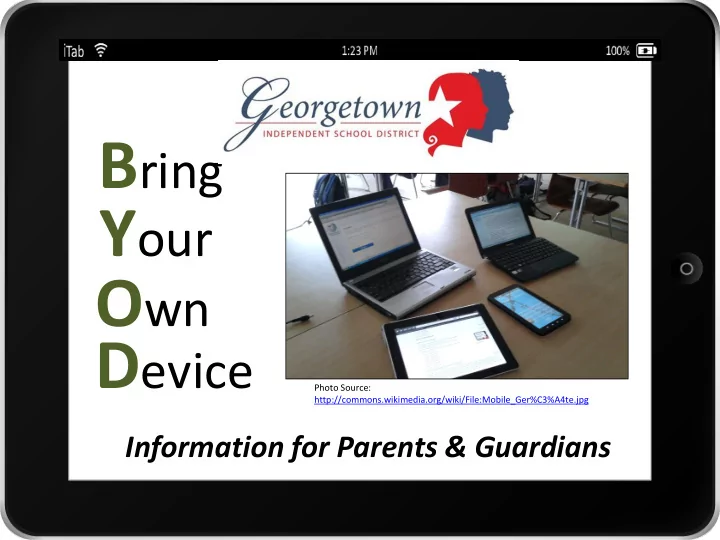
Photo Source: http://commons.wikimedia.org/wiki/File:Mobile_Ger%C3%A4te.jpg
Information for Parents & Guardians
www.georgetownisd.org/byod What is BYOD? B ring Y our O wn D evice - - PowerPoint PPT Presentation
B ring Y our O wn D evice Photo Source: http://commons.wikimedia.org/wiki/File:Mobile_Ger%C3%A4te.jpg Information for Parents & Guardians Check Out Our BYOD Resources Online! This presentation is an overview of the BYOD program. For
Photo Source: http://commons.wikimedia.org/wiki/File:Mobile_Ger%C3%A4te.jpg
Information for Parents & Guardians
Check Out Our BYOD Resources Online!
This presentation is an overview of the BYOD program. For details, visit our BYOD web page: www.georgetownisd.org/byod
BYOD
www.georgetownisd.org/byod
www.georgetownisd.org/byod
in BYOD
use for educational purposes: Smart phone Tablet Netbook Laptop eReader
required to bring a device
Secondary campuses or teachers will announce when it is appropriate to begin bringing student-owned devices.
www.georgetownisd.org/byod
Students are NOT required to bring a device to school
www.georgetownisd.org/byod
https://www.youtube.com/watch?v=sGtkLjpkfhM
www.georgetownisd.org/byod
can choose their own tools/programs/apps
Photo Source: http://www.flickr.com/photos/elwillo/4286834503/
also known as Digital Citizenship, can be naturally incorporated into learning
www.georgetownisd.org/byod
gives them permission
asks them to use devices for a class activity/assignment
monitor student device use
receive or send texts place or answer phone calls update social media sites
a substitute teacher
www.georgetownisd.org/byod
students cannot use their devices.
posted in areas such as:
– Restrooms – Locker Rooms – Cafeteria – Campuses may also designate other Device-Free Zones
these zones.
What Will Students Do With Their Devices When They Aren’t Being Used?
www.georgetownisd.org/byod
has not given permission to use the device, a student should: – silence and/or turn off the device – put it away as instructed by the teacher – Leave it in a locked school locker, if available
www.georgetownisd.org/byod
Devices will be used for educational purposes with teacher permission. Examples:
will discover more uses together!
Photo Credit: http://www.flickr.com/photos/ansesgob/6991412445/
www.georgetownisd.org/byod
Teachers are aware that not all students will bring a device and understand how to plan for a lesson involving devices.
a device, the teacher will:
a student device or a GISD device
teacher will:
that each student has a device
computer
Can Students Record or Take Pictures of Their Teacher or Other Students?
www.georgetownisd.org/byod
teacher and the people being recorded or photographed before recording or taking pictures.
via email, social media, or any other tool without teacher permission.
approved sites for educational purposes.
www.georgetownisd.org/byod
wireless network to access the Internet with their device at school.
their device, they are required to turn on their wireless and/or deactivate their data connection.
the ENGAGE-STUDENT network.
Graphic Credit: http://www.flickr.com/photos/614 23903@N06/7309654004/
www.georgetownisd.org/byod
their Internet access will be filtered just like it is when they are using a school computer.
school, such as social media and gaming sites, will NOT be available to them.
if they purposely try to access inappropriate or blocked websites.
www.georgetownisd.org/byod
filtered access to the Internet
Print documents to GISD printers from their personal devices Save documents to their GISD network Home folder (H: drive) from their personal devices Access any folders, files, computers, or servers on the GISD network See or access any other students’ personal mobile devices through the network
Graphic Credit: http://commons.wikimedia.org/wik i/File:Wi-Fi.jpg
www.georgetownisd.org/byod
batteries overnight before bringing devices to school.
to let students charge devices in their room.
with them for charging.
Photo Credit: http://www.flickr.com/photos/fastjack/2943793818/
www.georgetownisd.org/byod
staff members cannot help students with their devices.
technical problems with their devices, they will need to:
manual
at home
Photo Credit: http://www.flickr.com/photos/cowbite/3575367541/
Theft, Loss, Damage, or Charges
www.georgetownisd.org/byod
student devices
– If a student’s device is stolen, lost, or damaged by another student, contact a campus administrator or SRO – It is important to report the theft or loss so the campus can return the device to the student if it is turned in – Campus administration will not be able to investigate each incident
from your Internet provider for data or text usage
– If students use ENGAGE-STUDENT wireless as required, they should not have any extra data fees – Students should not be texting during the school day unless directed to do so by a teacher for an educational purpose
Photo Credit: http://www.flickr.com/p hotos/jaytamboli/
Keeping Student Devices Safe
www.georgetownisd.org/byod
first and last name
protect against drops and being carried in a backpack
backpack designed for protecting them
if it is stolen
Students Must Follow GISD Rules
www.georgetownisd.org/byod
Student Code of Conduct, Technology Responsible Use Policy, and the BYOD Guidelines while using their device
consequences and loss of the privilege of using their personal devices at school
Students Should Practice Good Digital Citizenship
www.georgetownisd.org/byod
interferes with their learning or others’ learning violates the rights of others invades another person’s privacy
cheat violate school rules harass or bully students or staff for anything that is against the law
private parts of anyone’s body
device
Digital Citizenship Lessons
www.georgetownisd.org/byod
lessons from Common Sense Media digital citizenship lessons with students
the lessons designated for their grade level each year
page
www.georgetownisd.org/byod
Photo Source: http://flic.kr/p/cEJnWs
On the Student Registration Form, circle Yes or No to indicate whether your student is allowed to participate in BYOD
www.georgetownisd.org/byod
Photo Source: http://commons.wikimedia.org/wiki/File:Mobile_Ger%C3%A4te.jpg