INFO 424, UW iSchool 11/15/2007 Todays Lecture Presentation - - PDF document

info 424 uw ischool 11 15 2007
SMART_READER_LITE
LIVE PREVIEW

INFO 424, UW iSchool 11/15/2007 Todays Lecture Presentation - - PDF document

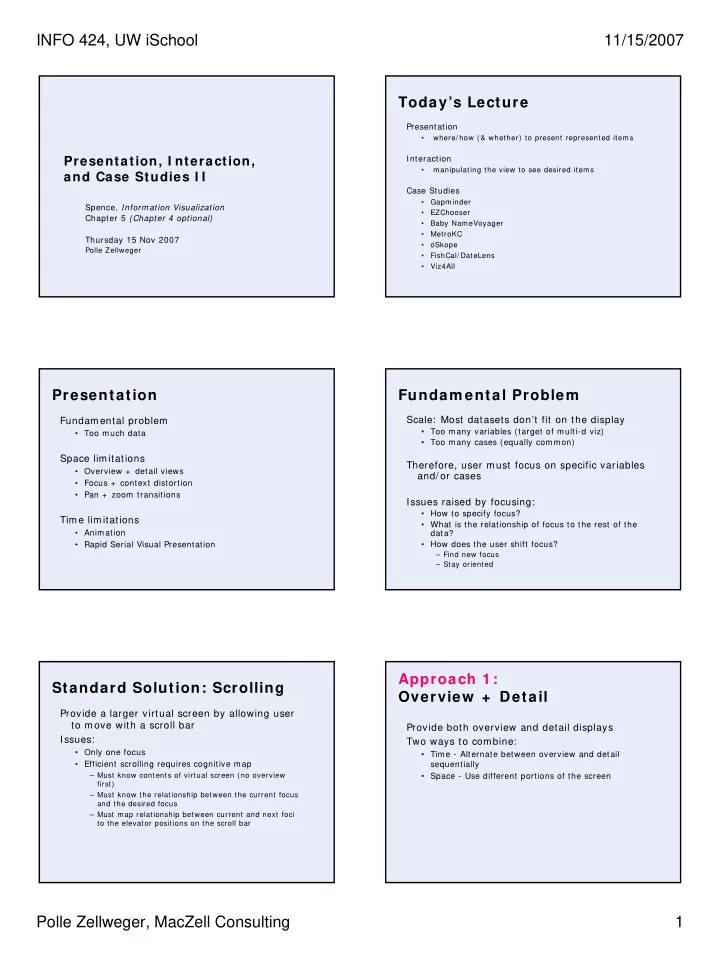
INFO 424, UW iSchool 11/15/2007 Todays Lecture Presentation where/ how (& whether) to present represented items Presentation, I nteraction, Interaction manipulating the view to see desired items and Case Studies I I Case


slide-1
SLIDE 1

INFO 424, UW iSchool 11/15/2007 Polle Zellweger, MacZell Consulting 1

Presentation, I nteraction, and Case Studies I I

Spence, Information Visualization Chapter 5 (Chapter 4 optional) Thursday 15 Nov 2007

Polle Zellweger

Today’s Lecture

Presentation

  • where/ how (& whether) to present represented items

Interaction

  • manipulating the view to see desired items

Case Studies

  • Gapminder
  • EZChooser
  • Baby NameVoyager
  • MetroKC
  • Skope
  • FishCal/ DateLens
  • Viz4All

Presentation

Fundamental problem

  • Too much data

Space lim itations

  • Overview + detail views
  • Focus + context distortion
  • Pan + zoom transitions

Time lim itations

  • Animation
  • Rapid Serial Visual Presentation

Fundam ental Problem

Scale: Most datasets don’t fit on the display

  • Too many variables (target of multi-d viz)
  • Too many cases (equally common)

Therefore, user must focus on specific variables and/ or cases Issues raised by focusing:

  • How to specify focus?
  • What is the relationship of focus to the rest of the

data?

  • How does the user shift focus?

– Find new focus – Stay oriented

Standard Solution: Scrolling

Provide a larger virtual screen by allowing user to move with a scroll bar Issues:

  • Only one focus
  • Efficient scrolling requires cognitive map

– Must know contents of virtual screen (no overview first) – Must know the relationship between the current focus and the desired focus – Must map relationship between current and next foci to the elevator positions on the scroll bar

Approach 1 : Overview + Detail

Provide both overview and detail displays Two ways to combine:

  • Time - Alternate between overview and detail

sequentially

  • Space - Use different portions of the screen
slide-2
SLIDE 2

INFO 424, UW iSchool 11/15/2007 Polle Zellweger, MacZell Consulting 2

Gapm inder Approach 2 : Focus + Context

Overview + Detail Integrated into a single display Rationale

  • Two separate displays split attention
  • Zooming hides the context
  • Human vision has both fovea and retina

Exam ple – Table Lens

From Xerox PARC and Inxight

FishCal / DateLens

2D distortion

Bederson et al, ‘04

Video

Fisheye m aps

Spence Video 15

Magic Lenses

Movable lenses that show a modified view

[ Stone et al, Xerox PARC]

Map view Underlying utilities lens Placing lens

  • n map
slide-3
SLIDE 3

INFO 424, UW iSchool 11/15/2007 Polle Zellweger, MacZell Consulting 3

More Magic Lenses

2 detail lenses on a map Font labelling lens Composing 2 lenses Magnifying & wireframe lenses

Videotape

More Focus + Context: Halos

Baudisch et al, 2003

Hyperbolic Brow ser

Lamping, Rao UIST’94

Spiral Calendar

Mackinlay, Robertson, Deline UIST’94

FishCal / DateLens

2D distortion

Bederson et al, ‘04

Video

Docum ent Lens

Robertson, Mackinlay UIST’93

slide-4
SLIDE 4

INFO 424, UW iSchool 11/15/2007 Polle Zellweger, MacZell Consulting 4

Approach 3 : Panning and Zoom ing

Panning

  • Smooth movement of camera across scene (or scene

moves and camera stays still)

Zoom ing

  • Increasing or decreasing the magnification of the
  • bjects in a scene

Useful for changing focal point ZUI = Zoomable User I nterface

Slide adapted from John Stasko

PhotoMesa

Demo

Bederson ‘01

Pad+ + Presentation Tool

Ken Perlin, NYU

CounterPoint Presentation Tool

Zoom ing UI to organize & show PowerPoint slides Good, 2001

Tim e Lim itations

Rapid Serial Visual Presentation

  • Present data sequentially (and often quite rapidly)
  • Like riffling the pages of a book to browse the

contents

Gapm inder

slide-5
SLIDE 5

INFO 424, UW iSchool 11/15/2007 Polle Zellweger, MacZell Consulting 5

Floating RSVP

for online purchasing

Spence Video 20

Manually controlled RSVP

for browsing film library

Spence Video 21

Spence’s I nteraction Model

Information spaces

  • discrete
  • continuous

Interaction modes

  • continuous
  • stepped
  • passive
  • composite

User intentions

  • explore, seek, opportunistic, involuntary

Norm an’s Action Cycle Exam ple 1

Minard map vis Info space? Interaction mode?

Exam ple 1

Minard map vis Static display (discrete info space) No physical interaction (passive interaction)

slide-6
SLIDE 6

INFO 424, UW iSchool 11/15/2007 Polle Zellweger, MacZell Consulting 6

Exam ple 1 .5

InfoCanvas Info space? Interaction mode?

Spence Video 7

Exam ple 1 .5

InfoCanvas Discrete info space

  • picture elements

show state of environment

Moving display (passive interaction)

  • peripheral awareness

Spence Video 7

Exam ple 2

Entertainment kiosk (also WWW) Info space? Interaction mode?

Exam ple 2

Entertainment kiosk (also WWW) Discrete info space Stepped interaction

Exam ple 2 .5

Tableau Software Info space? Interaction mode?

Demo

Exam ple 2 .5

Tableau Software Discrete info space Stepped interaction

  • Display changes
  • ccur on mouse up
  • History mechanism

supports user exploration

Demo

slide-7
SLIDE 7

INFO 424, UW iSchool 11/15/2007 Polle Zellweger, MacZell Consulting 7

Exam ple 3

Attribute Explorer Info space? Interaction mode?

Spence Video 5

Exam ple 3

Attribute Explorer Discrete info space Continuous interaction

  • user can move sliders

smoothly = > display changes during mouse motion

Spence Video 5

Exam ple 3 .5

Circuit Design Info space? Interaction mode?

Spence Video 1

Exam ple 3 .5

Circuit Design Continuous info space Continuous interaction Circle size varies continuously as slider moves = > dynam ically-triggered popout of correlation

Spence Video 1

Exam ple 4

Influence Explorer Info space? Interaction mode?

Spence Video 31

Exam ple 4

Influence Explorer Discrete info space Composite interaction

  • uses brushing

histograms technique

  • bar color shows sensitivity

Spence Video 31

slide-8
SLIDE 8

INFO 424, UW iSchool 11/15/2007 Polle Zellweger, MacZell Consulting 8

Spence’s I nteraction Model Film Finder

Video

Slide adapted from John Stasko

Spotfire

http://www.spotfire.com/

Slide adapted from John Stasko

Spotfire Features

Starfield display Tight coupling

  • features to guide the user
  • rapid, incremental, reversible interactions
  • display invariants
  • continuous display
  • progressive refinement
  • details on demand

Slide adapted from John Stasko

Movable Filter - Magic Lens

Enhanced Dynamic Queries via Movable Filters Ken Fishkin & Maureen Stone CHI 1995

Slide adapted from John Stasko

Magic Lens

Arbitrarily-shaped (usually rectangular) region with som e operation that changes the user’s view of the data

  • Movable
  • Stackable
  • Augmented by parameters that control the display

Slide adapted from John Stasko

slide-9
SLIDE 9

INFO 424, UW iSchool 11/15/2007 Polle Zellweger, MacZell Consulting 9

Queries Via Magic Lenses

High Salaries AND Low Taxes High Salaries OR Low Taxes

Slide adapted from John Stasko

Real-valued Query

Slide adapted from John Stasko

Advantages

Liveness Flexibility Ability to specify com plex queries Don’t use as much real estate for controls

Slide adapted from John Stasko

Disadvantages

More complex than DQ sliders

  • Not quite as easy to learn and use

More difficult to implement

Slide adapted from John Stasko

Sum m ary: Spence’s I nteraction Model More Case Studies

Gapm inder Baby NameVoyager MetroKC

  • Skope

FishCal/ DateLens Viz4All EZChooser

slide-10
SLIDE 10

INFO 424, UW iSchool 11/15/2007 Polle Zellweger, MacZell Consulting 10

Recalling Shneiderm an’s Tasks

Overview: see overall patterns, trends Zoom: see a smaller subset of the data Filter: see a subset based on values, … Details on demand: see values of objects Relate: see relationships, compare values History: keep track of actions & insights Extract: mark & capture data Baby Nam e W izard Nam e Voyager

Handouts and websites

Adding functionality

Supporting com parison

  • ne idea:
  • ways to select up to 20 names, perhaps by dragging

each one to a saved names area

  • draw a color-coded line graph for each saved name

all displayed in the standard time-series 1900-2006

  • ther ideas?

One-stop shopping for prospective parents

  • derivations of names, country of origin
  • meanings of names
  • related names, nicknames, other language forms
  • famous people with that name
  • more?

I nteractive Exam ples

U of Maryland Viz4All examples

PocketPC calendar tool FishCal/ DateLens

slide-11
SLIDE 11

INFO 424, UW iSchool 11/15/2007 Polle Zellweger, MacZell Consulting 11

Scrolling & searching Evaluation results

Tasks completed

blue= FishCal red=PocketPC

Links

EZChooser

http: / / brisa.merl.com: 8080/ myezchooser/ mydatasets.jsp?direc tory= / showcase

Baby NameVoyager

http: / / www.babynamewizard.com/ namevoyager/ lnv0105.html

MetroKC

http: / / transit.metrokc.gov/

  • Skope

http: / / oskope.com/

FishCal/ DateLens http: / / www.cs.umd.edu/ hcil/ datelens/ Viz4All

http: / / www.cs.umd.edu/ class/ spring2005/ cmsc838s/ viz4all/ viz 4all_a.html