
SLIDE 1
E0141
Instructional Presentation and Evaluation Skills
Student Manual
September 2014
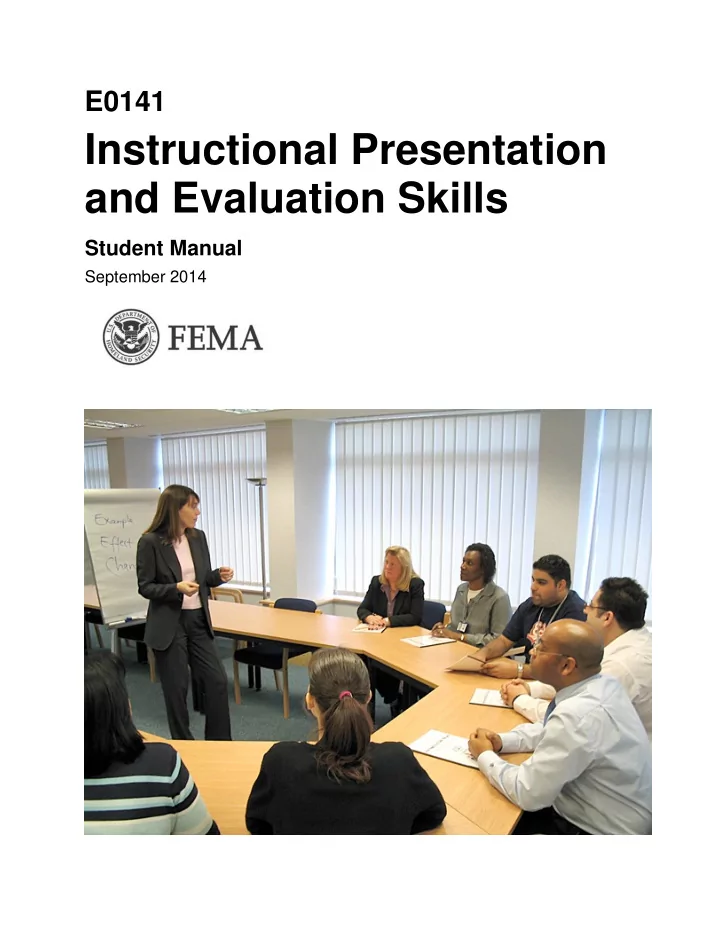
Instructional Presentation and Evaluation Skills Student Manual - - PDF document
E0141 Instructional Presentation and Evaluation Skills Student Manual September 2014 September 2014 E0141 Instructional Presentation and Evaluation Skills This page intentionally left blank. Table of Contents E0141 Instructional
September 2014
September 2014 E0141 Instructional Presentation and Evaluation Skills Table of Contents
This page intentionally left blank.
E0141 Instructional Presentation and Evaluation Skills September 2014 Table of Contents SM-i
Table of Contents
Course Overview ........................................................................................................................ O-1 Unit 1: Creating a Conducive Learning Environment ................................................................. 1-1 Unit 2: Using Instructional Presentation Skills ............................................................................ 2-1 Unit 3: Facilitating Interactions ................................................................................................... 3-1 Unit 4: Managing the Learning Process....................................................................................... 4-1 Unit 5: Measuring the Learning Process ...................................................................................... 5-1 Unit 6: Delivering Instructional Presentations ............................................................................. 6-1 Course Summary .......................................................................................................................... S-1
Delivery of consistent and comprehensive training to the disaster workforce is key to preparing personnel to perform disaster operations and recovery functions. Changes in training content could adversely impact this critical training
coordination with the respective FEMA program office. Please submit proposed changes to the Course Manager, Emergency Management Institute, Emmitsburg, Maryland.
September 2014 E0141 Instructional Presentation and Evaluation Skills SM-ii Table of Contents
This page intentionally left blank.
E0141 Instructional Presentation and Evaluation Skills September 2014 Course Overview SM O-1
September 2014 E0141 Instructional Presentation and Evaluation Skills SM O-2 Course Overview
This page intentionally left blank.
E0141 Instructional Presentation and Evaluation Skills September 2014 Course Overview SM O-3
COURSE OBJECTIVES At the end of this training, you should be able to:
presentation.
APPROXIMATE LENGTH 1 hour CONTENTS This course overview includes the following sections:
September 2014 E0141 Instructional Presentation and Evaluation Skills SM O-4 Course Overview
This page intentionally left blank.
E0141 Instructional Presentation and Evaluation Skills September 2014 Course Overview SM O-5
Visual O-1 WELCOME Visual O-2 ACTIVITY O.1: “CURIOUS?” What does curiosity have to do with this course? Visual O-3 ADMINISTRATIVE DETAILS Do you have any logistical questions?
September 2014 E0141 Instructional Presentation and Evaluation Skills SM O-6 Course Overview
Visual O-4 ACTIVITY O.2: NOTABLE QUOTES: LEARNING AND EDUCATION Working in your table groups:
information:
trainer?
spokesperson.
Visual O-5 SUBJECT MATTER EXPERTS/SKILLED PRESENTERS
instructors.
with the topic being presented.
E0141 Instructional Presentation and Evaluation Skills September 2014 Course Overview SM O-7
Visual O-6 SUBJECT MATTER EXPERT
Visual O-7 SKILLED PRESENTER
Visual O-8 SUBJECT MATTER EXPERT/SKILLED PRESENTER
courses is growing.
Visual O-9 IMPORTANCE OF TRAINING
more effectively.
FEMA’s mission.
September 2014 E0141 Instructional Presentation and Evaluation Skills SM O-8 Course Overview
Visual O-10 FEMA’S MISSION FEMA’s mission is to support our citizens and first responders to ensure that as a nation we work together to build, sustain, and improve our capability to prepare for, protect against, respond to, recover from, and mitigate all hazards. Visual O-11 YOUR INSTRUCTION
E0141 Instructional Presentation and Evaluation Skills September 2014 Course Overview SM O-9
Visual O-12 PERSONAL TEACHING SKILLS There are several things about this course that are unique and
you see them in the course. We hope that you’ll adopt them into your style of teaching. Emphasis on Personal Teaching Skills The teacher does the teaching, and delivers the content, with his or her…
Teaching With Enthusiasm
enthusiasm.
classroom. A De-Emphasis on PowerPoint
used in support of the instruction, and for review of topics.
but do not lead with PowerPoint.
September 2014 E0141 Instructional Presentation and Evaluation Skills SM O-10 Course Overview
Awareness and Understanding of Adult Learning Characteristics
individuals who have a lot of experience and knowledge, and that they like having opportunities to share those things.
adults in the room.
stimulating.
feedback. Gaining Participation
thing.
Establishing a Safe, Supportive, Respectful Environment
classroom can add to the general understanding; everyone walks away with new ideas.*
it.*
* Pailol Newsletter, Timothy Clapper, July 2010, Vol 3, Issue 2.
What is something that you have learned about in your life that is exciting to you? Is it scuba diving? Is it weaving? Is it hunting? Is it jewelry? Is it golf? Is it baseball? Is it cooking? Is it history? Visual O-13 YOUR EXPECTATIONS What expectations do you have for this training?
E0141 Instructional Presentation and Evaluation Skills September 2014 Course Overview SM O-11
Visual O-14 OUR EXPECTATIONS We expect you to:
Visual O-15 Visual O-16 COURSE OBJECTIVES By the completion of this course, you should be able to:
environment during an effective 20-minute presentation.
their evaluations.
September 2014 E0141 Instructional Presentation and Evaluation Skills SM O-12 Course Overview
Visual O-17 COURSE STRUCTURE
Environment—This unit focuses on cross-culture issues, adult learning characteristics, learning styles and preferences, and enhancing learning. Participants have an
while addressing an adult learning characteristic in short presentations.
unit provides tips on making effective presentations including voice variation, gestures, and more. Participants consider barriers and strategies for attending to course
presentations that describe their later, longer presentations, and to focus on presentation skills.
participants discuss techniques for involving course participants, asking effective questions, responding to answers by listening and paraphrasing, and leading exercises and discussions. Participants complete a Listening Self-Assessment and discuss difficult participant situations.
provides the basis for discussing classroom and equipment
instructional team. Other discussions include access and functional needs, course content, and timing considerations.
contains a directed activity on developing measurable learning objectives and discussion of how essential they are to effective training. Participants become acquainted with Kirkpatrick’s Evaluation Model, and discuss the types and results of a training evaluation.
unit addresses the final preparation of an instructor before
preparing for the delivery. No instructor can just “Wing It.” Participants will quickly realize that the instructor has not prepared. As part of the preparation, the instructor must have a complete understanding of the material, to include completion of the activities. Additionally, guidance is given on the final presentation.
E0141 Instructional Presentation and Evaluation Skills September 2014 Course Overview SM O-13
Visual O-18 COURSE MATERIALS
Visual O-19 THE BEST FOR LAST: INTRODUCTIONS
“story” when you are teaching.
growing up.
September 2014 E0141 Instructional Presentation and Evaluation Skills SM O-14 Course Overview
Group 1 Quote: The only thing that interferes with my learning is my education. Albert Einstein Group 1 Quote: I cannot teach anybody anything, I can only make them think. Socrates Group 1 Quote: I have never let my schooling interfere with my education. Mark Twain Group 1 Quote: Personally I am always ready to learn, although I do not always like being
Group 1 Quote: It is possible to store the mind with a million facts and still be entirely
E0141 Instructional Presentation and Evaluation Skills September 2014 Course Overview SM O-15
Group 2 Quote: Your assumptions are your windows on the world. Scrub them off every once in a while, or the light won’t come in. Alan Alda Group 2 Quote: Minds are like parachutes; they work best when open. Lord Thomas Dewar Group 2 Quote: I have never in my life learned anything from any man who agreed with me. Dudley Field Malone Group 2 Quote: The highest result of education is tolerance. Helen Keller Group 2 Quote: People only see what they are prepared to see. Ralph Waldo Emerson Group 2 Quote: It is what we think we know already that often prevents us from learning. Claude Bernard
September 2014 E0141 Instructional Presentation and Evaluation Skills SM O-16 Course Overview
Group 3 Quote: Learning is what most adults will do for a living in the 21st century. Bob Perelman Group 3 Quote: I am learning all the time. The tombstone will be my diploma. Eartha Kitt Group 3 Quote: There are no mistakes, no coincidences. All events are blessings given to us to learn from. Elizabeth Kubler-Ross Group 3 Quote: Anyone who stops learning is old, whether at 20 or 80. Henry Ford Group 3 Quote: The illiterate of the 21st century will not be those who cannot read and write, but those who cannot learn, unlearn, and relearn. Alvin Toffler Group 3 Quote: Not to know is bad; not to wish to know is worse. African Proverb
E0141 Instructional Presentation and Evaluation Skills September 2014 Course Overview SM O-17
Group 4 Quote: Some people talk in their sleep. Lecturers talk while other people sleep. Albert Camus Group 4 Quote: Good teaching is one-fourth preparation and three-fourths theater. Gail Goodwin Group 4 Quote: You can observe a lot just by watchin.’ Yogi Berra Group 4 Quote: Learning is finding out what you already know. Richard Bach Group 4 Quote: Spoon feeding in the long run teaches us nothing but the shape of the spoon. E.M. Forster Group 4 Quote: Practice is the best of all instructors. Publilius Syrus Group 4 Quote: You don’t understand anything until you learn it more than one way. Marvin Minsky Group 4 Quote: It is not the answer that enlightens, but the question. Eugene Ionesco, Découvertes
September 2014 E0141 Instructional Presentation and Evaluation Skills SM O-18 Course Overview
Group 5 Quote: They may forget what you said, but they will never forget how you made them
Group 5 Quote: To teach is to learn twice. Joseph Joubert Group 5 Quote: The best teachers teach from the heart, not from the book. Author Unknown Group 5 Quote: Education is not filling a pail but the lighting of a fire. William Butler Yeats Group 5 Quote: It’s not what is poured into a participant that counts, but what is planted. Linda Conway Group 5 Quote: A teacher who is attempting to teach without inspiring the pupil with a desire to learn is hammering on cold iron. Horace Mann Group 5 Quote: Teaching is the greatest act of optimism. Colleen Wilcox
E0141 Instructional Presentation and Evaluation Skills September 2014 Unit 1: Creating a Conducive Learning Environment SM 1-1
September 2014 E0141 Instructional Presentation and Evaluation Skills SM 1-2 Unit 1: Creating a Conducive Learning Environment
This page intentionally left blank.
E0141 Instructional Presentation and Evaluation Skills September 2014 Unit 1: Creating a Conducive Learning Environment SM 1-3
UNIT OBJECTIVES At the end of this unit, you should be able to:
APPROXIMATE LENGTH 3 hours, 30 minutes CONTENTS This unit includes the following sections:
September 2014 E0141 Instructional Presentation and Evaluation Skills SM 1-4 Unit 1: Creating a Conducive Learning Environment
This page intentionally left blank.
E0141 Instructional Presentation and Evaluation Skills September 2014 Unit 1: Creating a Conducive Learning Environment SM 1-5
Visual 1-1 WELCOME Visual 1-2 Visual 1-3 UNIT OBJECTIVES
differences.
addresses an adult learner characteristic in a 3-minute presentation. Visual 1-4 ACTIVITY 1.1: RESPECTING INDIVIDUAL DIFFERENCES
they were treated by others?
instruct?
September 2014 E0141 Instructional Presentation and Evaluation Skills SM 1-6 Unit 1: Creating a Conducive Learning Environment
Visual 1-5 SENSITIVE FACTORS IN PRESENTING
expressions, or stories
Do you have any examples you can share of cross-cultural issues that you have encountered in training situations? Visual 1-6 SENSITIVE FACTORS IN PRESENTING
prayer.
perhaps gang colors or political party colors.
E0141 Instructional Presentation and Evaluation Skills September 2014 Unit 1: Creating a Conducive Learning Environment SM 1-7
Visual 1-7 ADULT LEARNER CHARACTERISTIC #1 Adults have independent self-concepts, and:
independent.
adults.
have learned much. They know a lot of things. What have we already done in this course to take this into account?
an adult learner’s self-concept?
learner’s self-concept?
adult learner’s independence? And on his or her knowledge? Visual 1-8 ADULT LEARNER CHARACTERISTIC #2 Adults are motivated to learn useful information that is useful to them, and:
their training as useful?
relate to participants’ personal or professional needs?
September 2014 E0141 Instructional Presentation and Evaluation Skills SM 1-8 Unit 1: Creating a Conducive Learning Environment
Visual 1-9 ADULT LEARNER CHARACTERISTIC #3 Adults need reinforcement, and:
and peers.
confidence.
reinforce learning?
E0141 Instructional Presentation and Evaluation Skills September 2014 Unit 1: Creating a Conducive Learning Environment SM 1-9
Visual 1-10 ADULT LEARNER CHARACTERISTIC #4 Adults have large banks of previous learning, and this can help
experiences.
assumptions.
previous experience.
correctly.
behavior? Filters A filter is something you have learned in the past through which you may view things happening currently. For instance, if you’ve been taught that one should not wear a baseball cap indoors and a participant enters your classroom wearing one, you may immediately or momentarily think that the participant is doing something wrong. Instructors should try to be aware of their filters and keep them from influencing their thinking about participants. Do you have any examples of filters?
September 2014 E0141 Instructional Presentation and Evaluation Skills SM 1-10 Unit 1: Creating a Conducive Learning Environment
What are some techniques that trainers can use to build on previous learning more effectively?
participant; help the participant connect to it personally.
will be more easily learned and retained. Visual 1-11 ADULT LEARNING PREFERENCES Note that each individual has preferred learning modes including:
Auditory learners listen carefully to all sounds associated with the learning. “Tell me” is their motto. They will pay attention to the sound of your voice and they will participate in
phrases like, “How does that sound to you?” Kinesthetic learners need to physically do something to understand it. Their motto is “Let me do it.” They trust their feeling and emotions about what they’re learning and how you’re teaching it. They will get up to help with role-playing. You can best communicate with them by involving, volunteers, allowing them to practice what they’re learning, and using phrases like, “How do you feel about that?” Visual learners rely on pictures. They love graphs, diagrams, and illustrations. “Show me” is their motto. They often sit at the front of the classroom to avoid visual obstructions and to watch you, the teacher. You can best communicate with them by providing handouts, writing on the white board, and using phrases like, “Do you see how this works?”*
*5 Principles for the Teacher of Adults, Deb Peterson, About.com Guide.
E0141 Instructional Presentation and Evaluation Skills September 2014 Unit 1: Creating a Conducive Learning Environment SM 1-11
Sometimes we talk about the prisoner, the vacationer, and the adventurer as types of participants. What do you think these terms mean? Visual 1-12 ACTIVITY 1.2: LEARNING STYLES AND PREFERENCES INVENTORY Activity Objective:
preferences for instructors. Learning Preference Inventory Instructions:
preferences for instructors.
September 2014 E0141 Instructional Presentation and Evaluation Skills SM 1-12 Unit 1: Creating a Conducive Learning Environment
LEARNING STYLES AND PREFERENCES INVENTORY Instructions: Read each statement below. Indicate your level of disagreement or agreement with each statement by circling a number to the right of the statement.
Strongly Disagree 1 Disagree 2 Neither Disagree Nor Agree 3 Agree 4 Strongly Agree 5
something (for example, from a tape, a record, or a lecture). 1 2 3 4 5
1 2 3 4 5
I am working or studying with
1 2 3 4 5
when I learn. 1 2 3 4 5
know that I do a good job at work. 1 2 3 4 5
my work. 1 2 3 4 5
1 2 3 4 5
supervisors to recognize my efforts. 1 2 3 4 5
myself, with my own hands. 1 2 3 4 5
are the things that I hear. 1 2 3 4 5
1 2 3 4 5
doing the best I can. 1 2 3 4 5
E0141 Instructional Presentation and Evaluation Skills September 2014 Unit 1: Creating a Conducive Learning Environment SM 1-13
work will be checked. 1 2 3 4 5
something (for example, looking at a diagram or picture, or watching someone else do it). 1 2 3 4 5
someone else. 1 2 3 4 5
September 2014 E0141 Instructional Presentation and Evaluation Skills SM 1-14 Unit 1: Creating a Conducive Learning Environment
SCORE SHEET Instructions: Take your scores from the Learning Styles and Preferences Inventory and enter each item’s answer, or score, where indicated on this score sheet. Add up the item scores under each category to get an idea of your learning styles and preferences. Emotional Preferences: Social Needs Alone or With Others Item # Score 3 7 15 Total Score _____ _____ _____ _____
Emotional Preferences: Motivation External Motivation Item # Score 5 8 13 Total Score _____ _____ _____ _____
you.
E0141 Instructional Presentation and Evaluation Skills September 2014 Unit 1: Creating a Conducive Learning Environment SM 1-15
SCORE SHEET (CONTINUED) Emotional Preferences: Motivation (Continued) Internal Motivation Item # Score 2 6 12 Total Score _____ _____ _____ _____
Intellectual Preferences: Learning Styles Auditory Learning Item # Score 1 10 Total Score _____ _____ _____
difference to you.
I'm proud of myself! It's just what I wanted.
September 2014 E0141 Instructional Presentation and Evaluation Skills SM 1-16 Unit 1: Creating a Conducive Learning Environment
SCORE SHEET (CONTINUED) Intellectual Preferences: Learning Styles (Continued) Visual Learning Item # Score 4 14 Total Score _____ _____ _____
difference to you. Kinesthetic Learning (Learn by Doing) Item # Score 9 11 Total Score _____ _____ _____
learning is learning by doing.
difference to you.
A. B. C. D.
E0141 Instructional Presentation and Evaluation Skills September 2014 Unit 1: Creating a Conducive Learning Environment SM 1-17
We see that individuals—including instructors—have different preferences. Visual 1-13 METHODS FOR INSTRUCTING
methods.
Visual 1-14
needs.
is being taught. Visual 1-15 ACTIVITY 1.3: METHODS FOR INSTRUCTING: DISCUSSION Activity Objective: Discuss a variety of methods for generating interest and attention.
presented?
September 2014 E0141 Instructional Presentation and Evaluation Skills SM 1-18 Unit 1: Creating a Conducive Learning Environment
KNOWING YOUR AUDIENCE Note that it is important to understand who your target audience is.
session?
information? Can you give an example of a time when you did not know who the audience was to be? Visual 1-16 KNOWING YOUR AUDIENCE
you can suggest?
E0141 Instructional Presentation and Evaluation Skills September 2014 Unit 1: Creating a Conducive Learning Environment SM 1-19
Visual 1-17 ACTIVITY 1.4: ENHANCING LEARNING/TECHNIQUES TO ENHANCE LEARNING Visual 1-18
endings?
associated words to a more random list?
(or hook new learning to existing frameworks)? Visual 1-19
concrete? Visual 1-20 ACTIVITY 1.5: DUO: 3-MINUTE OPENING PRESENTATION
September 2014 E0141 Instructional Presentation and Evaluation Skills SM 1-20 Unit 1: Creating a Conducive Learning Environment
Visual 1-21 REVIEW OF KEY LEARNING POINTS
Visual 1-22 Visual 1-23 REVIEW OF UNIT OBJECTIVES You should now be able to:
differences.
addresses an adult learner characteristic in a 3-minute presentation.
E0141 Instructional Presentation and Evaluation Skills September 2014 Unit 2: Using Instructional Presentation Skills SM 2-1
September 2014 E0141 Instructional Presentation and Evaluation Skills SM 2-2 Unit 2: Using Instructional Presentation Skills
This page intentionally left blank.
E0141 Instructional Presentation and Evaluation Skills September 2014 Unit 2: Using Instructional Presentation Skills SM 2-3
UNIT OBJECTIVES At the end of this unit, you should be able to:
APPROXIMATE LENGTH 3 hours, 30 minutes CONTENTS This unit includes the following sections:
September 2014 E0141 Instructional Presentation and Evaluation Skills SM 2-4 Unit 2: Using Instructional Presentation Skills
This page intentionally left blank.
E0141 Instructional Presentation and Evaluation Skills September 2014 Unit 2: Using Instructional Presentation Skills SM 2-5
Visual 2-1 WELCOME Visual 2-2 UNIT OBJECTIVES
and a briefing.
5-minute presentation. Visual 2-3 ACTIVITY 2.1: CHARACTERISTICS OF EFFECTIVE PRESENTERS
September 2014 E0141 Instructional Presentation and Evaluation Skills SM 2-6 Unit 2: Using Instructional Presentation Skills
Visual 2-4 PRESENTATION SKILLS This unit will cover the following skills:
Visual 2-5
Use your own non-verbal behaviors to demonstrate the different do’s and don’ts on the list.
Are there any additional tips you would add to this list? Visual 2-6
Visual 2-7 ACTIVITY 2.2: ATTENDING BARRIERS & STRATEGIES During a training session, what keeps you from being able to attend fully to the participants?
E0141 Instructional Presentation and Evaluation Skills September 2014 Unit 2: Using Instructional Presentation Skills SM 2-7
Visual 2-8 Visual 2-9
Visual 2-10
Please participate in a discussion on this topic.
effect?
Look at the woman in the photo. What is her non-verbal behavior communicating to the audience? How does this non-verbal behavior relate to the principles of adult learning?
September 2014 E0141 Instructional Presentation and Evaluation Skills SM 2-8 Unit 2: Using Instructional Presentation Skills
Visual 2-11
movements.
energy dips? Visual 2-12
non-judgmental.
Visual 2-13 ACTIVITY 2.3: NON-VERBAL CUES FROM PARTICIPANTS
E0141 Instructional Presentation and Evaluation Skills September 2014 Unit 2: Using Instructional Presentation Skills SM 2-9
Visual 2-14
voice carry. Are there any additional tips you would add to this list? Visual 2-15
think.
Are there any additional tips you would add to this list? Visual 2-16
At transition points, or when you hear yourself adding a filler:
Are there other techniques that have helped you eliminate the fillers? Visual 2-17
every point.
September 2014 E0141 Instructional Presentation and Evaluation Skills SM 2-10 Unit 2: Using Instructional Presentation Skills
What factors may cause boredom when teaching? Visual 2-18
add something new.
PRESENTATION SKILLS AND POWERPOINT
providing the instruction, with all your personal skills.
learning and review all the points.
Tips:
visual.
about the topic. During or following the discussion, display the visual. You will be able to comment on how much they already knew about the topic.
talking.
E0141 Instructional Presentation and Evaluation Skills September 2014 Unit 2: Using Instructional Presentation Skills SM 2-11
Visual 2-19
“There are two types of speakers. Those who get nervous and those who are liars.” – Mark Twain Visual 2-20 TIPS FOR PUTTING YOURSELF AT EASE
Are there any additional techniques that have worked for you? Visual 2-21 TIPS FOR PUTTING YOURSELF AT EASE
you to succeed.
September 2014 E0141 Instructional Presentation and Evaluation Skills SM 2-12 Unit 2: Using Instructional Presentation Skills
INFORMATION ABOUT BRIEFINGS There are differences between teaching a course and doing a presentation to a public audience, for instance in a disaster setting. In a course:
specific learning objectives.
personally.
learning and participants responding and contributing. In a briefing:
measurable.
E0141 Instructional Presentation and Evaluation Skills September 2014 Unit 2: Using Instructional Presentation Skills SM 2-13
Visual 2-22 ACTIVITY 2.4: MAKING AN INSTRUCTIONAL PRESENTATION Develop a 3-minute presentation on the type of training you will be presenting. Be prepared to:
Visual 2-23 REVIEW OF KEY LEARNING POINTS
Visual 2-24 REVIEW OF UNIT OBJECTIVES
and a briefing.
5-minute presentation.
September 2014 E0141 Instructional Presentation and Evaluation Skills SM 2-14 Unit 2: Using Instructional Presentation Skills
This page intentionally left blank.
E0141 Instructional Presentation and Evaluation Skills September 2014 Unit 3: Facilitating Interactions SM 3-1
September 2014 E0141 Instructional Presentation and Evaluation Skills SM 3-2 Unit 3: Facilitating Interactions
This page intentionally left blank.
E0141 Instructional Presentation and Evaluation Skills September 2014 Unit 3: Facilitating Interactions SM 3-3
UNIT OBJECTIVES At the end of this unit, you should be able to:
APPROXIMATE LENGTH 2 hours CONTENTS This unit includes the following sections:
September 2014 E0141 Instructional Presentation and Evaluation Skills SM 3-4 Unit 3: Facilitating Interactions
This page intentionally left blank.
E0141 Instructional Presentation and Evaluation Skills September 2014 Unit 3: Facilitating Interactions SM 3-5
Visual 3-1 WELCOME Visual 3-2 UNIT OBJECTIVES
facilitating.
responding, and redirecting.
Visual 3-3 ACTIVITY 3.1: PRESENTING OR FACILITATING
September 2014 E0141 Instructional Presentation and Evaluation Skills SM 3-6 Unit 3: Facilitating Interactions
Visual 3-4 FACILITATION SKILLS OVERVIEW
Visual 3-5 ENCOURAGING INVOLVEMENT
share.
their opinions and ideas.
What techniques have been used so far in this training session to encourage interaction?
E0141 Instructional Presentation and Evaluation Skills September 2014 Unit 3: Facilitating Interactions SM 3-7
Visual 3-6 ENCOURAGING INVOLVEMENT
process before responding.
encourage their involvement.
and other fun learning activities are valuable and available
What is the purpose of using questions when providing instruction? Visual 3-7 WHY ASK QUESTIONS?
September 2014 E0141 Instructional Presentation and Evaluation Skills SM 3-8 Unit 3: Facilitating Interactions
Visual 3-8 DIRECT QUESTIONS
Visual 3-9 ASKING QUESTIONS
Visual 3-10 OPEN-ENDED QUESTIONS
Visual 3-11 ACTIVITY 3.2: ASKING QUESTIONS
material you will collectively teach later.
E0141 Instructional Presentation and Evaluation Skills September 2014 Unit 3: Facilitating Interactions SM 3-9
Visual 3-12 RESPONDING TO PARTICIPANT ANSWERS
Explain that responding to participant answers requires that trainers use the following skills:
Visual 3-13 RESPONDING TO PARTICIPANT ANSWERS: LISTEN
What are the barriers trainers encounter when trying to listen? Visual 3-14 RESPONDING TO PARTICIPANT ANSWERS: LISTEN
being said. Are there other tips for improving listening skills as a trainer?
September 2014 E0141 Instructional Presentation and Evaluation Skills SM 3-10 Unit 3: Facilitating Interactions
Visual 3-15 RESPONDING TO PARTICIPANT ANSWERS: SELF-ASSESSMENT
E0141 Instructional Presentation and Evaluation Skills September 2014 Unit 3: Facilitating Interactions SM 3-11
LISTENING SELF-ASSESSMENT Instructions: Read each item and then check the box indicating how frequently you actually use this skill when interacting with participants. Remember, this is a self-assessment, so be honest!
Usually Do Do Sometimes Should Do More Often
they are speaking.
ο ο ο
listening to participants.
ο ο ο
and thoughts from the ideas and thoughts being said.
ο ο ο
behaviors.
ο ο ο
begin talking.
ο ο ο
assume that I know what they are going to say.
ο ο ο
feeling.
ο ο ο
information when I am unsure what was meant.
ο ο ο
participants tell me.
ο ο ο
mentions a “pet peeve” of mine.
ο ο ο
main points of what participants say to me.
ο ο ο
is saying, I concentrate harder.
ο ο ο
September 2014 E0141 Instructional Presentation and Evaluation Skills SM 3-12 Unit 3: Facilitating Interactions
Visual 3-16 RESPONDING TO PARTICIPANT ANSWERS: PARAPHRASE Paraphrasing demonstrates that you listened:
feelings.
said.
nor disagreement (verbally or non-verbally).
used in this training session?
Visual 3-17 RESPONDING TO PARTICIPANT ANSWERS: PARAPHRASE How to begin:
Visual 3-18 ACTIVITY 3.3: PARAPHRASING
likely to say during a presentation of your material.
E0141 Instructional Presentation and Evaluation Skills September 2014 Unit 3: Facilitating Interactions SM 3-13
Visual 3-19 RESPOND AND REDIRECT
be asked.
Visual 3-20 RESPOND AND REDIRECT
commit to find the answer.
question to the group or an expert in the group. Are there other techniques that you have used when responding to questions? Visual 3-21 RESPOND AND REDIRECT
September 2014 E0141 Instructional Presentation and Evaluation Skills SM 3-14 Unit 3: Facilitating Interactions
Visual 3-22 DIFFICULT PARTICIPANT SITUATIONS When resolving problems:
caring.
Additionally:
the rest of the group.
Visual 3-23 DIFFICULT PARTICIPANT SITUATIONS
to discourage debate and interaction.
anger.
Additionally:
discussion professional.
message “behind the anger.”
difficult person.
maybe on another topic.
be resolved, look for a temporary way out so it can be resolved when things are calmer.
E0141 Instructional Presentation and Evaluation Skills September 2014 Unit 3: Facilitating Interactions SM 3-15
Visual 3-24 Visual 3-25 ACTIVITY 3.4: DIFFICULT PARTICIPANT SITUATIONS Working in your table groups . . .
participant situation that you have or could face in presenting training.
the next table to brief group members on their difficult participant situation.
within 8 minutes, and he or she will carry it back to the home table.
each table will be prepared to describe its original situation, tell what advice was given, and whether or not it was helpful. If not, what were the reasons?
September 2014 E0141 Instructional Presentation and Evaluation Skills SM 3-16 Unit 3: Facilitating Interactions
Visual 3-26 GIVE AND RECEIVE FEEDBACK
Visual 3-27 REVIEW OF KEY LEARNING POINTS
Visual 3-28 REVIEW OF UNIT OBJECTIVES You should now know how to:
facilitating.
responding, and redirecting.
E0141 Instructional Presentation and Evaluation Skills September 2014 Unit 4: Managing the Learning Process SM 4-1
September 2014 E0141 Instructional Presentation and Evaluation Skills SM 4-2 Unit 4: Managing the Learning Process
This page intentionally left blank.
E0141 Instructional Presentation and Evaluation Skills September 2014 Unit 4: Managing the Learning Process SM 4-3
UNIT OBJECTIVES At the end of this unit, you should be able to:
APPROXIMATE LENGTH 1 hour CONTENTS This unit includes the following sections:
September 2014 E0141 Instructional Presentation and Evaluation Skills SM 4-4 Unit 4: Managing the Learning Process
This page intentionally left blank.
E0141 Instructional Presentation and Evaluation Skills September 2014 Unit 4: Managing the Learning Process SM 4-5
Visual 4-1 WELCOME Visual 4-2 UNIT OBJECTIVES
Visual 4-3 PREPARE THE PHYSICAL ENVIRONMENT What are the pros and cons of each table setup below? Visual 4-4 PREPARE TRAINING MEDIA
instructing.
September 2014 E0141 Instructional Presentation and Evaluation Skills SM 4-6 Unit 4: Managing the Learning Process
Visual 4-5 PREPARE TRAINING MEDIA
Visual 4-6 PREPARE TRAINING MEDIA
Visual 4-7 HANDOUTS
distributing it; this cuts down on confusion.
until all have the handout and then proceed.
you will refer to each one. This reduces disruption of the learning process.
training topic, or lists of hints and tips.
back on the job to help them remember process steps or
E0141 Instructional Presentation and Evaluation Skills September 2014 Unit 4: Managing the Learning Process SM 4-7
Visual 4-8 PREPARE PRE-RECORDED CHARTS
Visual 4-9 PREPARE PRE-RECORDED CHARTS
Visual 4-10 USING POWERPOINT VISUALS
participants read the screen.
September 2014 E0141 Instructional Presentation and Evaluation Skills SM 4-8 Unit 4: Managing the Learning Process
Visual 4-11 ACTIVITY 4.1: USING TRAINING MEDIA Working in your table groups . . .
and computer-projected visuals in your assigned Job Aids pages.
key points.
charts.
Visual 4-12 MEDIA FOR ACCESS AND FUNCTIONAL NEEDS The basis of this is the Americans With Disabilities Act (ADA). Section 508 is an amendment to the Rehabilitation Act passed in 1998. This specifies that government agencies must make all electronic and information technology available to people with disabilities and to others with access and functional needs. We have made buildings, buses, and more accessible, so why would we design inaccessible websites and documents? Electronic documents and websites formatted to “read” with assistive technology can be made accessible to disabled users. The law is clear. Websites and documents must be accessible. Visual 4-13 PREPARE THE INSTRUCTOR TEAM
E0141 Instructional Presentation and Evaluation Skills September 2014 Unit 4: Managing the Learning Process SM 4-9
Visual 4-14 PREPARE THE INSTRUCTOR TEAM
Visual 4-15 GET EVERYONE’S ATTENTION
Visual 4-16 PREPARE FOR TIME MANAGEMENT
speakers. Visual 4-17 PREPARE FOR TIME MANAGEMENT
instructing.
adjustments.
September 2014 E0141 Instructional Presentation and Evaluation Skills SM 4-10 Unit 4: Managing the Learning Process
Visual 4-18 PREPARE TO MANAGE BREAKS
returned. Visual 4-19 MANAGE THE CONTENT
Visual 4-20 MANAGE THE CONTENT
learning objectives.
needs. If you were running tight on time, what types of quick interactions can be used with a group?
E0141 Instructional Presentation and Evaluation Skills September 2014 Unit 4: Managing the Learning Process SM 4-11
Visual 4-21 REVIEW OF KEY LEARNING POINTS
Visual 4-22 REVIEW OF UNIT OBJECTIVES You should now know how to:
September 2014 E0141 Instructional Presentation and Evaluation Skills SM 4-12 Unit 4: Managing the Learning Process
This page intentionally left blank.
E0141 Instructional Presentation and Evaluation Skills September 2014 Unit 5: Measuring the Learning Process SM 5-1
September 2014 E0141 Instructional Presentation and Evaluation Skills SM 5-2 Unit 5: Measuring the Learning Process
This page intentionally left blank.
E0141 Instructional Presentation and Evaluation Skills September 2014 Unit 5: Measuring the Learning Process SM 5-3
UNIT OBJECTIVES At the end of this unit, you should be able to:
APPROXIMATE LENGTH 1 hour, 30 minutes CONTENTS This unit includes the following sections:
September 2014 E0141 Instructional Presentation and Evaluation Skills SM 5-4 Unit 5: Measuring the Learning Process
This page intentionally left blank.
E0141 Instructional Presentation and Evaluation Skills September 2014 Unit 5: Measuring the Learning Process SM 5-5
Visual 5-1 WELCOME
learning objectives? Visual 5-2 UNIT OBJECTIVES
Visual 5-3 MEASURABLE LEARNING OBJECTIVES
instruction.
the end of the course, unit, presentation?
September 2014 E0141 Instructional Presentation and Evaluation Skills SM 5-6 Unit 5: Measuring the Learning Process
Visual 5-4 MEASURABLE LEARNING OBJECTIVES
evaluate.
accomplished in time available.
You must coordinate the content closely with the objectives. Content that’s not in the objectives should not be in the course. The content should address everything that is put forth in the
Visual 5-5 MEASURABLE LEARNING OBJECTIVES
able to do.
differences.
facilitating.
3-minute presentation. Visual 5-6 MEASURABLE LEARNING OBJECTIVES
them. From this aspect of measuring learning, we will move to an
E0141 Instructional Presentation and Evaluation Skills September 2014 Unit 5: Measuring the Learning Process SM 5-7
Visual 5-7 EVALUATING LEARNING A comprehensive training evaluation includes the following levels:
question “Were the participants pleased with the training?” Often these evaluations are done as questionnaires at the end of the training session.
question “What did the participants learn as a result of the training?” Often these evaluations are done as pre-tests and post-tests.
answers the question “Did the participants change their on- the-job behaviors as a result of the training?” Often these evaluations include interviews of course participants and their supervisors.
measures the final results that occurred because of attendance and participation in a training program (can be monetary, performance-based, etc.) The most frequent types of evaluations are Level 1 and Level 2. Trainers should strive to go as far as possible through the evaluations – certainly through Level Two. Today, Kirkpatrick-certified facilitators stress “starting with the end in mind,” essentially beginning with Level 4 and moving backwards in order to better establish the desired
When done strategically, reaching these levels does not have to be any more expensive or time consuming, but will still help to ensure on-the-job performance of learned behaviors and skills.*
* Wikipedia, June 30 2014.
September 2014 E0141 Instructional Presentation and Evaluation Skills SM 5-8 Unit 5: Measuring the Learning Process
Visual 5-8 TYPES OF EVALUATIONS
Level 2 or learning evaluations can be knowledge tests or performance-based tests. Note that in this course, we are using performance-based measures to evaluate learning. Visual 5-9 TYPES OF EVALUATIONS
Which are we using in this course? Visual 5-10 Visual 5-11 ALTERNATIVE LEARNING EVALUATION METHODS
groups to ensure participants have an understanding of the content they will be presenting.
contrary to good teaching and learning to have a group present incorrect information to the rest of the class.
E0141 Instructional Presentation and Evaluation Skills September 2014 Unit 5: Measuring the Learning Process SM 5-9
Visual 5-12
they learned.
September 2014 E0141 Instructional Presentation and Evaluation Skills SM 5-10 Unit 5: Measuring the Learning Process
ALTERNATIVE LEARNING EVALUATION METHODS Technique Description Observe Participant Reactions
participants are confused or frustrated.
participants. Review Exercise Results
completed exercises correctly.
complete exercises.
the correct answers.
found confusing or difficult. Ask Questions
to assess learning.
apply what they learned. (What-If, Why, and How Questions) Have Participants Present What They Learned
what they have learned.
points of the unit. Encourage Self- Assessment
answers that they can use to assess their
expected job performance expectations that they can use to monitor their own performance on the job.
E0141 Instructional Presentation and Evaluation Skills September 2014 Unit 5: Measuring the Learning Process SM 5-11
Visual 5-13 USING EVALUATION RESULTS Working in your table groups . . .
present your answers.
September 2014 E0141 Instructional Presentation and Evaluation Skills SM 5-12 Unit 5: Measuring the Learning Process
Using Evaluation Results: Case Studies Situation #1 You are midway through a course that hasn’t been offered during the past year. You observe that participants seem disinterested in the case study exercises. At the end of one exercise, you ask the class for feedback. The majority of the participants tell you that the case studies seem dated and irrelevant. You have several more case study examples coming up. Questions
E0141 Instructional Presentation and Evaluation Skills September 2014 Unit 5: Measuring the Learning Process SM 5-13
Using Evaluation Results: Case Studies Situation #2 As a new instructor, you are anxious to see how well your participants did on a section test. Upon reviewing the test results, you notice that a high percentage of the participants missed the same test item. You talk with a more experienced instructor who mentions that participants always seem to have trouble with that item. Questions
September 2014 E0141 Instructional Presentation and Evaluation Skills SM 5-14 Unit 5: Measuring the Learning Process
Using Evaluation Results: Case Studies Situation #3 You are reviewing end-of-course evaluations from a training session held this week. Previous evaluations have been very positive. This time the numerical ratings are high, while the narrative comments are more negative. The comments mention the following:
Questions
E0141 Instructional Presentation and Evaluation Skills September 2014 Unit 5: Measuring the Learning Process SM 5-15
Using Evaluation Results: Case Studies Situation #4 You notice that a co-instructor is telling participants whether the topic being presented will be on the final test. You feel that all the content is important and have not been tipping off participants about the test. As a result, the participants seem to be paying less attention to your presentations. Questions
September 2014 E0141 Instructional Presentation and Evaluation Skills SM 5-16 Unit 5: Measuring the Learning Process
Visual 5-14 REVIEW OF KEY LEARNING POINTS
Visual 5-15 REVIEW OF UNIT OBJECTIVES You should now know how to:
E0141 Instructional Presentation and Evaluation Skills September 2014 Unit 6: Delivering Instructional Presentations SM 6-1
September 2014 E0141 Instructional Presentation and Evaluation Skills SM 6-2 Unit 6: Delivering Instructional Presentations
This page intentionally left blank.
E0141 Instructional Presentation and Evaluation Skills September 2014 Unit 6: Delivering Instructional Presentations SM 6-3
UNIT OBJECTIVES At the end of this unit, you should be able to:
APPROXIMATE LENGTH 30 minutes CONTENTS This unit includes the following sections:
September 2014 E0141 Instructional Presentation and Evaluation Skills SM 6-4 Unit 6: Delivering Instructional Presentations
This page intentionally left blank.
E0141 Instructional Presentation and Evaluation Skills September 2014 Unit 6: Delivering Instructional Presentations SM 6-5
Visual 6-1 WELCOME Visual 6-2 UNIT OBJECTIVES
teach.
teach.
instructional presentation skills. Visual 6-3 ACTIVITY 6.1: GETTING READY
take.
reminders.
your own words, examples, and experiences.
September 2014 E0141 Instructional Presentation and Evaluation Skills SM 6-6 Unit 6: Delivering Instructional Presentations
Visual 6-4 ACTIVITY 6.1: GETTING READY
instruments.
them.
Visual 6-5 ACTIVITY 6.1: GETTING READY
presentation. Visual 6-6 ACTIVITY 6.1: GETTING READY
differently next time?
E0141 Instructional Presentation and Evaluation Skills September 2014 Unit 6: Delivering Instructional Presentations SM 6-7
Visual 6-7 ACTIVITY 6.1: GETTING READY
Visual 6-8 ACTIVITY 6.2: DELIVERING AN INSTRUCTIONAL PRESENTATION
presentation.
Visual 6-9 REVIEW OF KEY LEARNING POINTS
Visual 6-10 REVIEW OF UNIT OBJECTIVES
teach.
teach.
instructional presentation skills.
September 2014 E0141 Instructional Presentation and Evaluation Skills SM 6-8 Unit 6: Delivering Instructional Presentations
This page intentionally left blank.
E0141 Instructional Presentation and Evaluation Skills September 2014 Course Summary SM S-1
September 2014 E0141 Instructional Presentation and Evaluation Skills SM S-2 Course Summary
This page intentionally left blank.
E0141 Instructional Presentation and Evaluation Skills September 2014 Course Summary SM S-3
COURSE OBJECTIVES At the end of this course, the participants should be able to:
20-minute presentation.
APPROXIMATE LENGTH 30 minutes CONTENTS This unit includes the following sections:
September 2014 E0141 Instructional Presentation and Evaluation Skills SM S-4 Course Summary
This page intentionally left blank.
E0141 Instructional Presentation and Evaluation Skills September 2014 Course Summary SM S-5
Visual S-1 WELCOME Visual S-2 Visual S-3 COURSE OBJECTIVES
environment during an effective 20-minute presentation.
their evaluations. Visual S-4 REVIEWS
September 2014 E0141 Instructional Presentation and Evaluation Skills SM S-6 Course Summary
Visual S-5 ACCOMPLISHMENTS AND PLANS
course?
an instructor?
Visual S-6 COURSE EVALUATION
Visual S-7 Thank you for participating in Instructional Presentation and Evaluation Skills.